• How to Choose Next-Gen Data Center Switches for AI Workloads and High-Performance Networking
    October 26, 2026
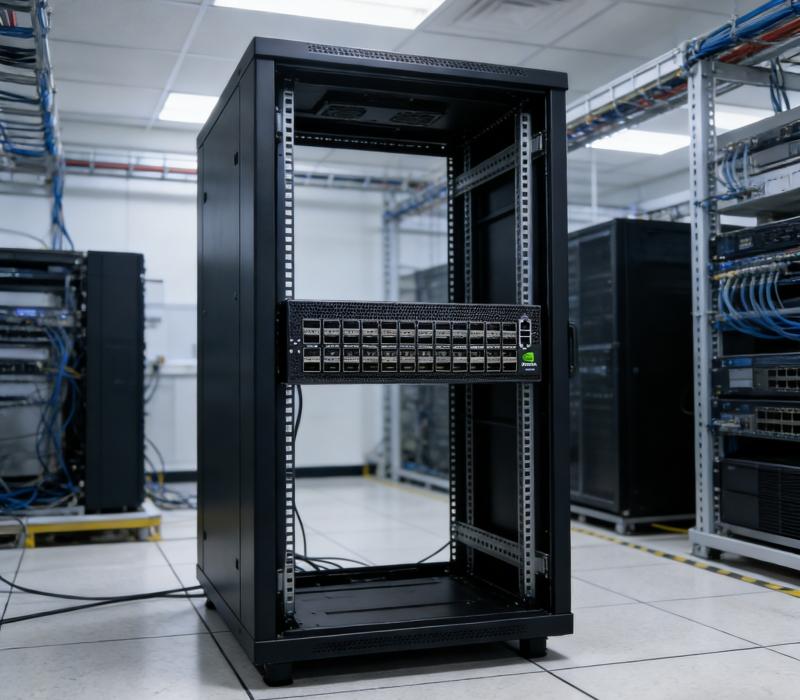
    The switch you pick affects how well GPUs are used and how fast jobs finish. In an AI data center, switches must move traffic between GPU nodes at high speed all the time, with low latency that stays steady. One weak link slows down group operations and leaves costly compute sitting idle. What should guide your choice when you choose next-gen data center switches for AI and high-performance networking? You need a fair comparison of the technology and a practical checklist, not claims from vendors. Ailink will walk you through performance, application fit, compliance, and cost. You will leave with evidence you can defend to your team and a clear path to a well-justified decision. Key Takeaways Match the switch to your AI workload. Large training jobs need low latency and high bandwidth. Test switches with real AI traffic. Ask for throughput, tail latency, and job completion time. Tune congestion control carefully. It can improve performance by up to 40%. Check power efficiency. AI racks use a lot of power, so pick efficient switches. Weigh total cost. Include optics, licensing, power, and staff skills. How AI Reshapes Switch Demands East-West Traffic and Collective Operations Old business networks mostly carry north-south traffic, which means user-to-server requests. AI clusters act in a different way. They make huge east-west traffic that moves sideways between GPUs, servers, and storage, and this sideways flow is the main part of AI training work. Distributed training keeps swapping gradients, tensors, model parameters, and sync data. With data, tensor, and pipeline parallelism, each GPU may talk to many others at the same time. This creates patterns that use a huge amount of bandwidth, such as All-Reduce, All-Gather, Broadcast, and Reduce-Scatter. Aspect What Happens in AI Clusters Traffic direction East-west traffic is the main flow; north-south traffic is second Traffic shape A few huge, long-lasting flows instead of many small ones Sensitivity Collectives react strongly to latency, packet loss, congestion, jitter, and oversubscription Collective operations are very sensitive to delay. Even a small sync delay leaves costly GPUs idle, so steady low latency counts more than peak throughput on paper. Fabrics use spine-leaf layouts, non-blocking or low-oversubscription designs, and RDMA to keep latency spikes down. Limits of Legacy Designs Old leaf-spine networks were built for north-south traffic with many small, bursty flows. AI workloads instead make a small set of huge, long-lasting elephant flows. Every accelerator swaps state with every other accelerator, and any delay on one path stalls the whole collective operation. Tail latency, not average latency, is the key metric here. Flows are synced, so the slowest packet decides when the whole operation ends. Legacy designs do not optimize for that. AI training libraries also assume zero packet loss. One dropped packet can force retransmission of large data sets or a full restart from checkpoint. Static equal-cost multipath and random packet spraying no longer work well enough. Small fixes cannot meet the performance levels AI workloads demand, because those workloads change faster than traditional networking constructs adapt. The market is moving toward greater power efficiency, less time spent inside the network, and rich telemetry. High-performance, open standards-based Ethernet with interfaces up to 800 GbE and liquid-cooling designs show where designs are heading. Ailink tracks these trends without favoring one vendor. InfiniBand vs. Ultra Ethernet Performance, Fit, Compliance, Cost Both fabrics can carry AI traffic at high speed. They differ in how they get there. InfiniBand uses a dedicated, lossless fabric with in-network computing. Ethernet with RoCE brings RDMA to a familiar, open standards base. The table below shows how a representative InfiniBand platform compares on paper. Specification NVIDIA MQM9790-NS2R Quantum-2 NDR InfiniBand Switch Generation NDR 400G Ports 64 x 400G (32 OSFP connectors) Aggregate bandwidth 51.2 Tbps, non-blocking Switching latency Sub-microsecond In-network computing SHARP v4 Cooling Liquid (QM9790); air on QM9700 Typical power ~800–1,200 W Compliance IBTA Specification v1.5 Listed price $30,000.00 Ethernet options like the Dell Networking 9700 Series Center Switch and other RoCE-capable switches compete on openness and operational familiarity. They run standard Ethernet tooling and fit multi-vendor environments. Compliance paths differ too. InfiniBand follows IBTA v1.5, while Ethernet aligns with IEEE and RoCE standards your team likely already knows. Cost is not just the list price. The NVIDIA switch carries a premium, and its subnet manager and UFM tooling add licensing and skills cost. Ethernet switches often cost less per port and reuse existing staff knowledge. Power matters as well. A fully loaded Quantum-2 air-cooled switch typically draws between 800 and 1,200 watts, depending on optics and traffic load. Compare that figure against your rack power budget before you commit. Where Each Fits Best Benchmarks tell a nuanced story. In MLPerf Training for BERT-Large, Ethernet finished in 10,886 seconds against 10,951 seconds for InfiniBand, a slight Ethernet margin. On MLPerf Inference for LLAMA2-70B-99.9, InfiniBand ran 1.66% faster. Across multiple generative AI tests, the two ran nearly equal, with a delta under 0.03%. Raw speed rarely decides the choice on its own. Workload shape decides more. Large-scale synchronous data-parallel training with 8 or more GPUs and tens of billions of parameters rewards InfiniBand's low latency and high bandwidth. FSDP, ZeRO-3, and tensor parallelism also benefit, because frequent fine-grained collectives react sharply to delay. Models of 70B or more with large global batch sizes make interconnect bandwidth decisive. Ethernet fits many other cases well. Pipeline parallelism moves smaller point-to-point activation traffic and tolerates latency. Asynchronous training has no sync barrier. Small setups of 2 to 4 GPUs lean on NVLink inside the node. Inference serving almost never needs InfiniBand, since NVLink handles intra-node traffic and high-speed Ethernet covers cross-node links.InfiniBand is favored for tightly coupled HPC workloads requiring sub-5-microsecond latency and in-network computing, where the fabric is dedicated to a single tenant and workload type. Modern Ethernet with the right architecture is a credible alternative for multi-tenant environments, mixed workloads, or organizations seeking to avoid vendor dependency. Neither option is wrong. Match the fabric to your workload, your team's skills, and your budget. Ailink helps you weigh both paths for your next-gen data center switches without pushing one vendor. Features That Matter in Next-Gen Switches Bandwidth, Latency, Congestion Control Port speeds now hit 800 GbE, and dense 100G, 200G, and 400G ports keep up with today's GPU bandwidth needs. Raw speed alone is just the starting point. Four capabilities decide if your fabric can keep pace with the accelerators. Capability What to Look For Why It Matters Bandwidth and port density 100G, 200G, 400G, and new 800G ports Meets the bandwidth that distributed training collectives need Latency Steady low port-to-port latency, no jitter under load Prevents stragglers in synchronous collectives Buffering Deep, dynamically shared buffers Soaks up microbursts and incast without drops Congestion control RoCEv2 with DCQCN, ECN marking, PFC under 802.1Qbb Keeps RoCE transport lossless and throughput steady Congestion control deserves the closest look. DCQCN lets NICs react to ECN marks, and ECN marks packets before a switch drops them. PFC pauses specific CoS priorities to protect lossless RoCE traffic. OCI built a RoCE network scaled to thousands of nodes and defined at least three congestion-control profiles for latency-sensitive, throughput-sensitive, and mixed workloads. It applied PFC only one way at the edge between hosts and top-of-rack switches, never to leaf or spine, which prevents head-of-line blocking. ECN keeps PFC rarely needed as a last-resort safeguard. Smaller clusters can run Zero Touch RoCE with no PFC or ECN setup on switches. Without mitigation, uneven traffic distribution and uplink congestion cut training performance by more than 30% in one deployment. Hashing on destination QP through switch UDF, combined with QP scaling, gave up to 40% improvement for AllReduce. Receiver-driven admission, where the collective library and transport exchange clear-to-send packets, limits in-flight traffic even more. Scalability, Programmability, Telemetry Treat scalability, programmability, and telemetry as selection criteria, not extras. Ask how the fabric grows past thousands of nodes, whether the switch exposes flow-level telemetry, and how much configuration your team must own. Operational continuity counts too. Dell OS10-based switches keep a familiar CLI for teams that value it, and the Dell Networking 9700 Series Center Switch fits environments standardized on that tooling. Choose Next-Gen Data Center Switches with these criteria, then test them against your own traffic before you commit. What Real-World Testing Reveals Benchmark Data from AI Fabrics Before you sign, ask for real numbers: throughput, tail latency, and job completion time from fabrics that run actual AI traffic. Sales sheets seldom include these figures. Ask your vendor and Ailink for them. The published record looks good for both fabrics. Meta built twin AI clusters, one on InfiniBand and one on Arista Ethernet, for its Llama 3 deployment. Meta reported no network bottlenecks on either fabric. Meta also shared engineering details for a 24,000-GPU RoCE cluster. There, both RoCE and InfiniBand were tuned to give equal performance, and the largest models trained on the RoCE fabric. In NCCL tests, RoCE Ethernet matches InfiniBand for collective communication bandwidth. MLPerf-style lab tests now show job-time differences of only a fraction of a percent. Tail latency still sets the two apart. InfiniBand's credit-based flow control removes drops and gives very steady worst-case behavior. Well-tuned AI Ethernet comes close, but PFC set up wrong can cause head-of-line blocking or deadlock. xAI's Colossus supercomputer linked 100,000 NVIDIA Hopper GPUs over Spectrum-X Ethernet. It reached 95% data throughput with congestion control tuned for bursty AI training. Traditional Ethernet at the same scale tops out at about 60% throughput because of thousands of flow collisions. Lessons from Deployed Clusters Clusters already in use teach lessons about picking the right tool for the job. A team running tightly coupled synchronous training on the NVIDIA MQM9790-NS2R Quantum-2 NDR InfiniBand switch gets steady tail latency and in-network computing. A team that standardizes on open Ethernet with the Dell Networking 9700 Series Center Switch gets familiar operations and flexibility across vendors. Chip and load-balancing choices also change job completion time. Broadcom Jericho3-AI cut job completion time by more than 10% compared with competing chips. The Arista 7800R4 HyperPort, which bundles 4×800Gbps into 3.2Tbps, shortened job completion time by 44% compared with traditional load balancing across separate ports. Treat these results as a reason to test, not a final answer. When you choose next-gen data center switches, check them on your own fabric. How to Choose Next-Gen Data Center Switches Building the Evaluation Checklist A good checklist turns a vague comparison into a decision you can defend. Score every candidate against six areas, and give each area a weight for your own setting. The table below shows why AI facilities need different answers than traditional halls. Criterion Area Traditional Data Center AI Data Center Workload fit Stable, predictable workloads Dynamic, bursty, data-intensive workloads Rack power density 7–10 kW/rack 30 kW to over 100 kW/rack Cooling Primarily air cooling Liquid or hybrid cooling Networking Standard Ethernet Ultra-high-bandwidth, low-latency interconnects Start with workload fit. Ask whether the switch keeps up massive throughput and low latency across many GPU nodes, and whether it handles east-west traffic well. Next, test performance under real AI traffic, not lab bursts. Then confirm compliance for every region you deploy in, since a global footprint keeps product designs consistent and speeds deployment. Power efficiency deserves its own line. Dense AI racks now reach 30 kW to over 100 kW, and NVIDIA GB200 NVL36 draws roughly 66 kW while NVL72 reaches about 120 kW. Modern 800G OSFP pluggable modules deliver about 40% lower cost per gigabit than prior generations and about 50% power savings through advanced DSP and modulation. Add telemetry as a scored item. Real-time insight into energy consumption and infrastructure loads prevents downtime, and machine learning models can flag cooling decline or fiber signal degradation before failure. Finally, weigh total cost, including optics, licensing, power, and staff skills. Validating with Ailink A checklist narrows the field. Testing settles it. Ailink helps your team validate next-gen data center switches against your own AI workloads before you commit. You bring your traffic profiles, collective patterns, and power budget. Ailink builds the test plan around them. The process follows a clear path. First, you define the workloads that matter, from synchronous training to inference serving. Second, Ailink runs throughput, tail latency, and job completion time tests on candidate fabrics. Third, you review telemetry output and power draw under sustained load. Fourth, you compare total cost across the full deployment. This approach lets you choose next-gen data center switches with evidence rather than marketing claims. When you choose next-gen data center switches this way, your team sees the numbers before the purchase order. Ailink sells every option compared here, so the guidance stays neutral and the test results speak for themselves.Five things should guide every choice: how well it fits your workload, real-world speed under AI traffic, compliance, power efficiency, and total cost. Use them all together, and no single spec sheet can sway you. Run the checklist on every candidate. Ask for benchmark data from fabrics that run real AI traffic. Then work with Ailink to test your options against your own workloads before you commit. That evidence lets you choose next-gen data center switches with confidence, and your team will see the numbers behind the decision. FAQ Which fabric should you pick for large synchronous training? InfiniBand fits tightly coupled training best. Its credit-based flow control keeps tail latency steady, and in-network computing speeds up collectives. Ethernet with RoCE works well too, once you tune congestion control. Match the fabric to your workload shape, team skills, and budget before you decide. How much does congestion control really change results? It changes them a lot. One deployment lost more than 30% of training performance to uneven traffic and uplink congestion. Hashing on destination QP with QP scaling recovered up to 40% for AllReduce. Tune ECN and PFC carefully, and test under your own bursty traffic. Do you need 800 GbE ports today? Not always. Dense 100G, 200G, and 400G ports meet most current GPU needs. Choose 800 GbE when your roadmap calls for it. Modern 800G OSFP modules cut cost per gigabit by about 40% and save roughly 50% power, so the upgrade path pays off over time. How do you compare vendors fairly? Score every candidate on workload fit, real-world performance, compliance, power efficiency, telemetry, and total cost. Ask for throughput, tail latency, and job completion time from live AI fabrics. Then let Ailink test the shortlist against your own traffic profiles before you commit. What role does power play in the decision? A big one. AI racks now reach 30 kW to over 100 kW, and NVIDIA GB200 NVL72 draws about 120 kW. A fully loaded air-cooled Quantum-2 switch draws roughly 800 to 1,200 watts. Check every figure against your rack power and cooling budget early.
  • AI Server Hardware Requirements: A Practical Checklist for GPU, Memory, Storage, and Networking
    October 20, 2026
    AI Server Hardware Requirements: A Practical Checklist for GPU, Memory, Storage, and Networking   Building an AI server requires more than selecting a powerful GPU. A reliable AI server configuration must balance computing performance, system memory, storage throughput, network bandwidth, power delivery, and cooling to support specific workloads efficiently.   Whether you are deploying AI inference services, fine-tuning machine learning models, training large language models (LLMs), or building an AI data infrastructure, understanding AI server hardware requirements is essential for avoiding compatibility issues, performance bottlenecks, and unnecessary procurement costs. This guide explains the key components of an AI server, how to select hardware for different AI workloads, and what to check before purchasing server components.   1. Start with the AI Workload Before Choosing Hardware The right AI server hardware depends primarily on what the system needs to accomplish. Different workloads place different demands on GPU memory, system RAM, storage capacity, and network performance. Before selecting components, define the workload, expected performance, data volume, and future expansion requirements.   AI Model Training vs. AI Inference AI model training involves processing large datasets and repeatedly updating model parameters. It generally requires substantial accelerator computing capacity, sufficient GPU memory, high memory bandwidth, and efficient data delivery.   AI inference uses trained models to generate predictions, classifications, or responses. Its hardware requirements depend on model size, input and output length, concurrent users, latency targets, and throughput expectations.   For example, an inference server supporting a relatively small model may prioritize GPU memory capacity and cost efficiency. A distributed training environment may require multiple accelerators and high-bandwidth networking to coordinate computing tasks across servers.   Fine-Tuning, RAG, and Data Analytics Other AI applications have different infrastructure requirements. Model fine-tuning: Requires sufficient accelerator memory, system memory, and fast storage for datasets and checkpoints. Retrieval-augmented generation (RAG): May require a combination of GPU resources, CPU capacity, fast storage, and memory for document processing and retrieval services. AI data analytics: Often benefits from balanced CPU, memory, storage, and network resources for data preparation and processing. Large-scale distributed training: Requires careful planning for accelerator interconnects, network topology, storage throughput, and workload synchronization.   Single-Server vs. Multi-Node AI Infrastructure A single-server configuration can simplify deployment and management for smaller workloads. Larger AI projects may require multiple servers connected through a high-performance network.   When planning a multi-node environment, consider not only individual server specifications but also how data moves between nodes. A powerful GPU cannot deliver its full potential if it frequently waits for data or synchronization across a congested network.   2. Core Hardware Components of an AI Server Understanding the function of each component helps buyers create a balanced AI server configuration rather than selecting individual parts based only on headline specifications.   GPUs and CPUs: Building the Computing Foundation Graphics processing units (GPUs) and other AI accelerators perform much of the parallel computation required by modern AI workloads. Their suitability depends on the model, precision requirements, memory capacity, supported software, and expected performance.   When evaluating GPU server components, consider: Accelerator memory capacity and memory bandwidth Computing performance for the intended workload Number of accelerators supported by the platform PCIe connectivity and available expansion slots Power consumption, cooling, and physical dimensions Software, driver, and framework compatibility The CPU remains important for data preparation, orchestration, storage operations, and other tasks that support accelerator workloads. For multi-GPU systems, verify that the motherboard, CPU, chassis, and power supply can support the intended configuration. Physical slot availability alone does not guarantee that all GPUs will operate with the expected connectivity or performance.   Server Memory: Capacity, Bandwidth, and Reliability System memory stores operating data, intermediate results, application processes, and information needed by CPUs and other system components. For enterprise environments, DDR5 ECC RDIMM server memory is an important option to evaluate when the server platform supports it. ECC memory can detect and correct certain classes of memory errors, while registered DIMMs are designed for compatible server memory architectures.   When selecting AI server memory, consider: Total system RAM capacity Memory channels and supported data rates ECC and registered DIMM requirements CPU and motherboard compatibility Supported DIMM capacities and population rules Memory requirements for data preprocessing and concurrent workloads   Do not assume that higher memory frequency alone guarantees better application performance. Actual performance depends on the complete platform, memory configuration, workload, and supported operating conditions.   For example, an AI server processing large datasets may need substantial system RAM even when GPU memory is the primary constraint during model execution.   Before ordering DDR5 ECC RDIMM, check the server manufacturer's compatibility list and the CPU platform's supported memory configurations. Before ordering server memory, buyers should verify module architecture, supported data rates, capacity, and platform compatibility. Our guide to choosing the right DDR5 ECC server memory module explains the key factors in greater detail.   NVMe SSDs: Fast Storage for Active AI Workloads Storage performance can directly affect how quickly an AI server loads models, accesses datasets, writes checkpoints, and processes intermediate files. NVMe SSDs are commonly used for active AI workloads because they provide low-latency access and high throughput when implemented on a compatible platform.   When choosing enterprise SSDs for AI servers, evaluate: Capacity and available drive bays NVMe protocol and supported interface Sequential and random read/write performance Endurance ratings and expected write workload Power-loss protection and other enterprise features, where required Thermal management and sustained performance Compatibility with the server, backplane, and storage software A fast SSD can improve data delivery, but storage requirements vary. A workload that repeatedly accesses a relatively small model may have different storage needs from a pipeline that processes large datasets continuously.   It is also important to distinguish interface specifications from real application performance. Actual results depend on queue depth, workload patterns, drive endurance, thermal conditions, and system configuration. Understanding how flash storage works can help buyers evaluate performance, endurance, and interface requirements. Learn more about how SSDs work and what to consider when choosing one.   Enterprise HDDs: High-Capacity Storage for AI Data Enterprise HDDs remain useful for large datasets, historical records, backups, and other storage workloads where capacity and cost per terabyte are important.   Compared with SSDs, HDDs generally provide lower random-access performance. However, they can be appropriate for capacity-oriented storage tiers when the application does not require SSD-level latency.   When selecting enterprise hard drives, consider: Required usable storage capacity Drive workload rating and expected operating conditions Interface and server compatibility Redundancy and data protection requirements Backup and recovery policies Power, cooling, and storage density A tiered storage architecture can combine NVMe SSDs for frequently accessed data with high-capacity HDDs for less frequently accessed information. The appropriate balance depends on access patterns, availability requirements, and budget. For capacity-oriented storage, compare drive capacity, interface, workload rating, and operating requirements before selecting a model. See our guide to enterprise hard drives for scalable storage for additional selection considerations.   HBA and RAID Controllers: Managing Storage Connectivity A host bus adapter (HBA) and a RAID controller serve different purposes, so the right choice depends on the storage architecture. An HBA typically provides connectivity between the host system and compatible storage devices. A RAID controller can provide hardware-assisted RAID functionality when the controller and configuration support it.   Before selecting a controller, verify: Supported drive interfaces and protocols Number of supported drives and available ports Compatibility with the server backplane Required RAID levels and data protection features Operating system and driver support Integration with the intended storage architecture For software-defined storage, direct drive access may be preferable in some designs. Other deployments may require controller-based RAID functionality. RAID should not be treated as a replacement for backups. Data protection requires a broader strategy that considers redundancy, recovery procedures, and the consequences of hardware or software failure.   The choice between direct drive access and hardware-managed RAID depends on the storage architecture and data protection requirements. Read our comparison of HBA vs. RAID controllers for software-defined storage before finalizing your configuration.   NICs, Switches, and Optical Transceivers: Connecting AI Infrastructure Network performance becomes increasingly important when AI workloads move large datasets between storage systems, servers, and computing nodes. The appropriate AI data center networking configuration depends on traffic volume, node count, topology, protocol support, latency requirements, and future scalability.   Key components include: Network interface cards (NICs): Connect servers to the network. Ethernet switches: Provide connectivity between servers, storage systems, and other network devices. Optical transceivers: Convert electrical and optical signals for compatible network links. Fiber optic cables: Carry optical signals between supported interfaces. For larger deployments, 100GbE, 200GbE, 400GbE, or 800GbE may be considered depending on workload demands and infrastructure design. These speeds are not universal requirements for every AI server.   When choosing high-speed optical transceivers, verify the switch and NIC port specifications, supported transmission rate, reach, fiber type, connector, wavelength, and interoperability requirements.   A higher link speed does not automatically improve every application. The network must be designed around actual traffic patterns, and the server, switch, transceiver, and cabling must work together as a compatible system.   Power Delivery and Cooling: Supporting Sustained Performance High-performance accelerators, CPUs, memory, and storage devices can create substantial power and thermal demands. When planning AI server power and cooling, evaluate: Total system power requirements Power supply capacity and redundancy Power distribution and circuit capacity Chassis airflow and component cooling requirements Rack density and facility cooling capabilities Operating temperature limits Sustained workload behavior   Do not size a power supply by simply adding component power ratings without considering system-level requirements and manufacturer recommendations. Likewise, a configuration that fits physically into a server chassis may not be thermally suitable for sustained operation. Power, airflow, and cooling must be validated for the complete configuration.   3. AI Server Configuration by Workload There is no single hardware specification that fits every AI project. The following table summarizes typical priorities for different deployment scenarios. AI workload Main hardware priorities Important considerations AI inference GPU or accelerator, GPU memory, system RAM, model storage Model size, concurrency, latency, throughput Model fine-tuning GPU memory, computing capacity, system RAM, NVMe SSD Dataset size, checkpointing, training method Distributed AI training Multiple accelerators, high-bandwidth networking, fast storage Interconnect topology, synchronization, scalability RAG applications CPU, GPU where needed, RAM, SSD storage, networking Document volume, retrieval architecture, response latency AI data processing CPU, system memory, storage throughput Data transformation, batch size, parallel processing AI datasets and archives Enterprise SSDs and HDDs, storage controllers where appropriate Capacity, access frequency, redundancy, retention These are planning guidelines rather than fixed bills of materials. Actual requirements vary with the model architecture, framework, software stack, data volume, performance target, and deployment environment.   For example, an AI inference service with strict latency requirements may prioritize accelerator memory and low-latency data access. A distributed training cluster may place greater emphasis on accelerator interconnects and network throughput.   A useful starting point is to document the expected workload and performance objectives before comparing individual products.   4. How to Balance GPU, Memory, Storage, and Networking Selecting suitable components is only part of the process. A well-designed AI server hardware configuration must also prevent bottlenecks between those components.   Identify Computing and Memory Bottlenecks Start by evaluating whether the intended model and workload fit within the available accelerator memory and whether system RAM is sufficient for preprocessing and supporting services. If the model or workload exceeds available resources, the solution may involve changing the hardware configuration, optimizing the model, adjusting the workload, or distributing processing across multiple devices. Simply purchasing a more powerful GPU does not resolve every memory or data-management limitation.   Match Storage Performance to Data Access Patterns Determine whether the workload primarily requires high sequential throughput, frequent random reads, sustained writes, or large-capacity storage. For active datasets and frequently accessed model files, NVMe SSD storage may be appropriate. For large archives and less frequently accessed datasets, enterprise HDD storage may provide a more economical capacity tier. Measure the requirements of the application rather than assuming every AI server needs the same storage configuration.   Determine When High-Speed Networking Is Necessary Networking requirements depend on how much data moves between servers and how often distributed workloads exchange information. For multi-node training, network throughput and latency can affect overall efficiency. For a standalone inference server, a simpler network configuration may be sufficient. When evaluating 400GbE and 800GbE networking, consider expected traffic, switch capacity, endpoint support, transceiver compatibility, and the cost of upgrading the wider infrastructure. The objective is to remove genuine bottlenecks without purchasing network capacity that the workload cannot effectively use.   Plan for Scalability and Total Cost of Ownership A cost-effective AI server configuration balances initial purchase cost with operating expenses and future expansion. Consider the total cost of ownership (TCO), including: Hardware acquisition and replacement Electricity and cooling Maintenance and warranty Storage growth and data protection Network upgrades Software and operational requirements Deployment and future migration costs A lower-cost component may be a poor choice if it creates compatibility problems or requires an expensive redesign later. Conversely, premium specifications may not be justified when the workload cannot benefit from them.   5. AI Server Hardware Compatibility Checklist Before purchasing AI server components, verify compatibility across the entire system. The following checklist can help procurement and engineering teams reduce avoidable configuration risks.   GPU and Platform Compatibility Confirm GPU support for the server model and motherboard. Verify physical dimensions, slot spacing, and available PCIe resources. Check power connectors, power limits, and cooling requirements. Confirm support for the intended number of accelerators. Validate relevant firmware, drivers, and software requirements.   Server Memory Compatibility Confirm whether the platform requires ECC RDIMM, another supported memory type, or a specific DIMM configuration. Check the CPU's supported memory capacity and data rates. Follow the manufacturer's memory population rules. Verify module part numbers against the compatibility list. Confirm that mixing capacities or module specifications is supported, if applicable.   Storage and Controller Compatibility Confirm drive interface, protocol, form factor, and capacity support. Check the server backplane and available drive bays. Verify HBA or RAID controller compatibility where applicable. Review operating system, firmware, and driver requirements. Define redundancy, backup, and recovery requirements.   Networking and Optical Compatibility Confirm supported NIC and switch port speeds. Check transceiver form factor and interface specifications. Verify fiber type, connector, wavelength, and transmission distance. Confirm compatibility requirements for the intended switch and NIC. Evaluate network topology and capacity for future expansion.   Power, Cooling, and Deployment Validate total system power demand and power supply capacity. Check chassis airflow and thermal limits. Confirm rack space, power distribution, and facility cooling. Review warranty, serviceability, and replacement procedures. Test the complete configuration before large-scale deployment. A component's individual specifications do not establish full-system compatibility. When in doubt, consult the server manufacturer's documentation and obtain engineering confirmation before ordering.   6. How to Build a Practical AI Server Procurement Plan A structured procurement process helps ensure that the selected hardware supports real operating requirements. Step 1: Define Performance and Capacity Requirements Document the AI workload, model size, dataset volume, expected throughput, latency targets, concurrency, and anticipated growth. These requirements provide the foundation for evaluating CPU, GPU, memory, storage, and networking needs.   Step 2: Confirm Exact Part Numbers Use exact manufacturer part numbers when comparing server memory modules, SSDs, HDDs, controllers, NICs, switches, and optical transceivers. Product names and headline specifications alone may not identify important differences in interface, firmware, form factor, or compatibility.   Step 3: Validate the Complete Configuration Check the complete bill of materials against the server platform, operating environment, and intended deployment. For larger projects, validate a sample configuration before committing to volume purchases. This can help identify interoperability, performance, thermal, or deployment issues before they affect the wider project.   Step 4: Evaluate Supply, Warranty, and Lifecycle Requirements For B2B hardware procurement, consider product availability, lead times, warranty terms, replacement options, and lifecycle status. For multi-site or phased deployments, consistency of part numbers and supply continuity may be particularly important.   Step 5: Compare Total Cost and Future Expansion Compare configurations based on their ability to meet performance requirements, not simply their initial component prices. A useful evaluation should account for operating costs, upgrade paths, support requirements, and the potential expense of replacing incompatible components.   7. Common Mistakes When Planning AI Server Hardware Several recurring mistakes can undermine an otherwise promising infrastructure design. Choosing GPUs before defining the workload: Accelerator selection should follow model requirements, performance objectives, and deployment constraints. Underestimating system memory: GPU memory and system RAM serve different functions. Sufficient capacity is needed for the complete software and data-processing environment. Ignoring storage bottlenecks: Slow data delivery or unsuitable storage architecture can reduce application efficiency even when computing resources are available. Overlooking network compatibility: NICs, switches, optical transceivers, and cables must support the intended interfaces, speeds, and transmission conditions. Mixing incompatible components: Similar-looking memory modules, drives, and network products may have different compatibility requirements. Neglecting power and cooling: Sustained workloads can expose thermal and power limitations that are not apparent from a component list alone. Treating redundancy as a complete backup strategy: RAID and other redundancy mechanisms do not eliminate the need for appropriate backup and recovery procedures. Buying without validating the configuration: Full-system compatibility and workload validation are more reliable than assumptions based on individual product specifications. Avoiding these mistakes requires coordination between engineering, procurement, IT operations, and hardware suppliers.   8. Frequently Asked Questions About AI Server Hardware What hardware is needed to build an AI server? A typical AI server includes a CPU, system memory, one or more GPUs or other AI accelerators where required, storage devices, networking interfaces, a compatible motherboard and chassis, power supplies, and cooling. The exact configuration depends on the model, workload, performance targets, and deployment scale.   How much RAM does an AI server need? The required AI server RAM capacity depends on the operating system, model-serving software, data preprocessing, concurrent applications, and workload size. GPU memory and system RAM are separate resources, so both must be evaluated. Check platform limits and application requirements before deciding on capacity.   Is NVMe SSD necessary for AI servers? NVMe SSDs are useful when workloads benefit from low-latency storage and high throughput, such as loading models, accessing active datasets, and writing checkpoints. However, not every AI server requires NVMe storage for every data tier. Storage selection should reflect access patterns, capacity needs, and budget.   Do AI servers need 400G or 800G networking? No. 400GbE and 800GbE networking may be appropriate for some high-bandwidth AI clusters, but they are not universal requirements. Network speed should be selected according to traffic patterns, node count, application requirements, endpoint compatibility, and the wider network architecture.   How do I check AI server hardware compatibility? Start with the server manufacturer's documentation and supported component lists. Confirm exact part numbers, memory specifications, drive interfaces, PCIe requirements, NIC and transceiver compatibility, power limits, and cooling constraints. Validate the complete configuration before purchasing in volume.   Should I choose enterprise SSDs or HDDs for AI storage? Choose enterprise SSDs when low latency, high IOPS, or fast data access is important. Consider enterprise HDDs for large-capacity datasets, archives, and other workloads that can tolerate higher access latency. Many environments benefit from a tiered design that combines both storage types.   What should I consider when purchasing AI server components in bulk? Evaluate exact part numbers, compatibility, quantity, availability, lead times, warranty terms, lifecycle status, and consistency across the order. For complex projects, request a reviewed bill of materials and validate a sample configuration before proceeding with volume procurement.   Conclusion: Build an AI Server Around the Workload Successful AI server hardware planning starts with the workload, not an individual product specification. GPU and CPU resources, server memory, storage, networking, power delivery, and cooling must work together to meet the project's performance, reliability, and budget requirements. A structured AI server hardware checklist helps teams identify compatibility risks, avoid unnecessary spending, and plan for future growth. By validating the complete configuration before purchasing, businesses can make more informed decisions about their AI infrastructure. For organizations sourcing enterprise computing and networking components, X REACH LIMITED can be a starting point for exploring relevant hardware categories and product options. Prepare your server model, intended workload, required specifications, estimated quantities, and delivery requirements before requesting a quotation.   Need help sourcing server hardware? Contact the X REACH LIMITED team to discuss your component requirements and identify suitable products for further compatibility review and procurement planning.
  • What Makes DDR5-5600 ECC RDIMM Ideal for Enterprise Servers
    What Makes DDR5-5600 ECC RDIMM Ideal for Enterprise Servers
    September 28, 2026
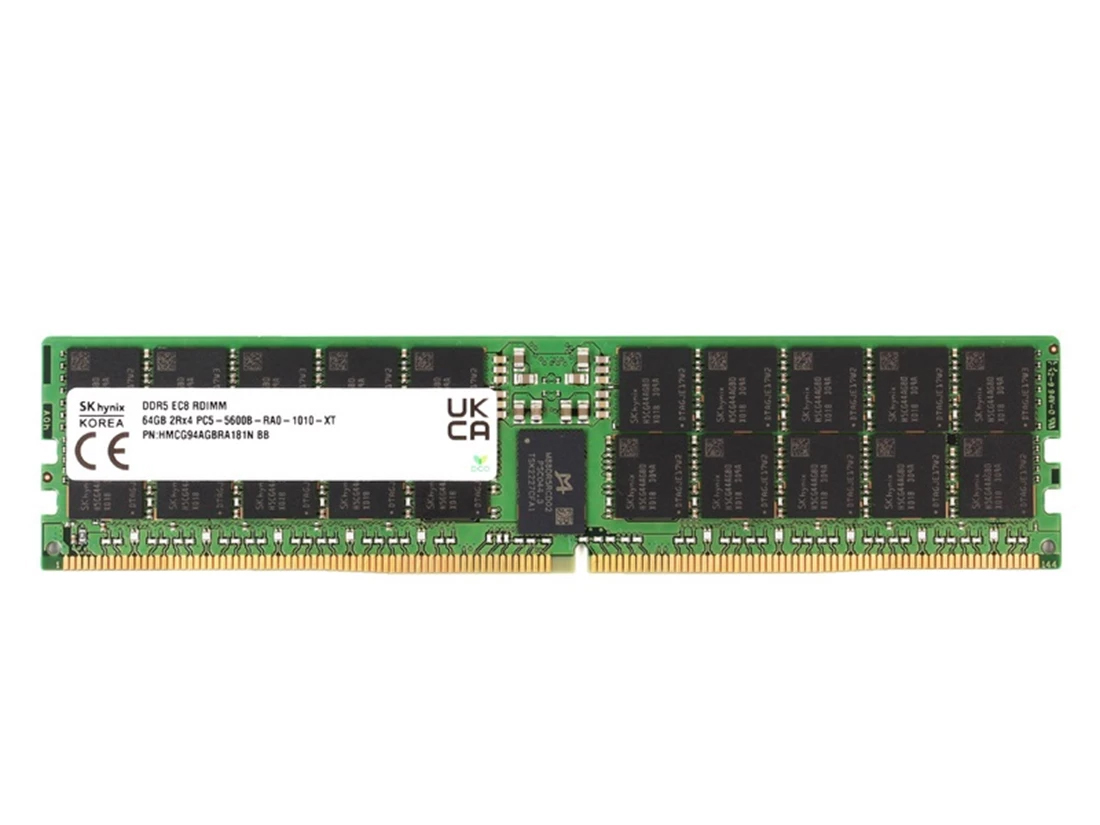
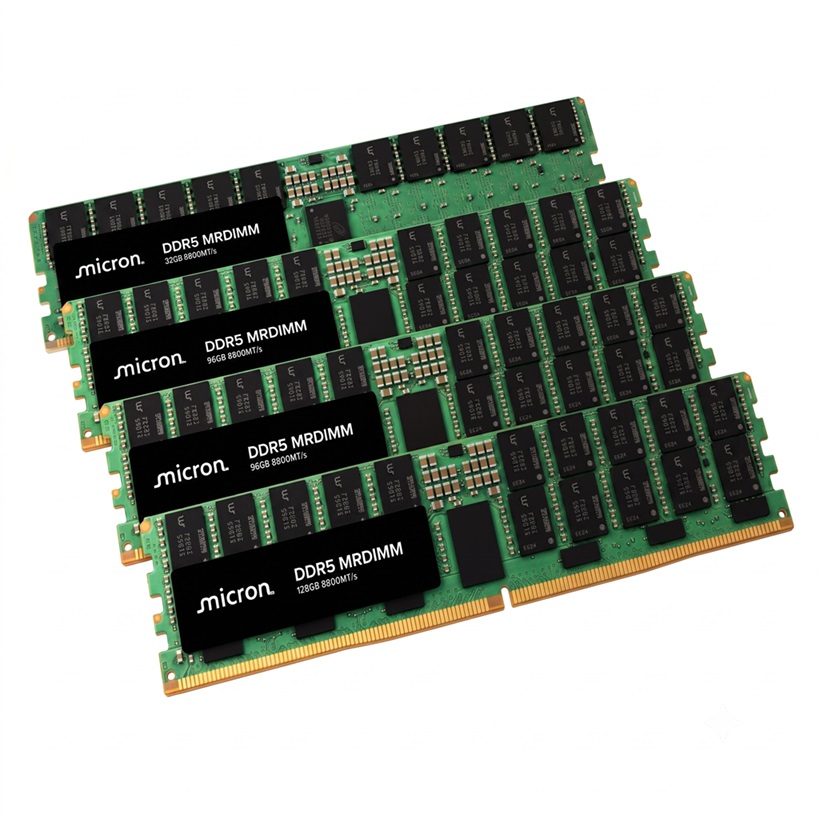
    Enterprise servers demand memory balancing speed, reliability, and scalability. The DDR5-5600 ECC RDIMM delivers that combination. You get 5600MHz (PC5-44800) high-speed performance for demanding workloads. Built-in ECC actively corrects errors, protecting critical data. The registered design maintains signal integrity across many modules. This DDR5 ECC registered RDIMM module excels in virtualization, databases, and HPC. As enterprise-grade server memory, it removes bottlenecks. The DDR5 ECC registered RDIMM architecture supports heavy memory populations. This DDR5-5600MHz ECC registered RDIMM serves as reliable DDR5 ECC enterprise server memory. SK hynix DDR5-5600 Memory represents a complete solution. You gain reliability, performance, and scalability in one DDR5 RDIMM. This enterprise server memory ensures smooth infrastructure operation. Key Takeaways ECC error correction fixes single-bit memory errors automatically. This prevents system crashes and keeps your data safe. The registered design reduces load on the memory controller. Your server supports more memory modules with stable signals. DDR5-5600 delivers fast 5600MHz speed while using only 1.1V power. You get high performance and energy savings. This memory works with Intel Xeon and AMD EPYC servers. Always check your server's QVL for full compatibility. On-die thermal sensors manage heat and adjust refresh rates. Your server stays stable even during heavy workloads. Role of DDR5-5600 ECC RDIMM in Server Reliability ECC Error Correction Capabilities DDR5-5600 ECC RDIMM delivers active error correction for enterprise servers. The ECC (Error-Correcting Code) in this module automatically corrects single-bit memory errors. This correction prevents unexpected system crashes and data corruption in mission-critical applications. You rely on this protection for workloads like database transactions or financial processing. A single corrupted bit can cascade into costly downtime. ECC memory eliminates that risk by fixing errors before they affect operations. Standard ECC DIMMs implement SECDED — single-error correction, double-error detection — which corrects any single-bit error and detects, but cannot correct, double-bit errors. For enterprise environments, this full ECC support means you gain robust protection. The module catches and corrects most memory errors silently. This feature maintains data integrity without manual intervention. You can trust your DDR5 ECC memory to handle errors that would otherwise corrupt data or interrupt services. SK hynix DDR5-5600 Memory incorporates this advanced ECC technology. As a DDR5 ECC registered RDIMM, this memory module offers superior error protection. You get proven reliability for your most demanding applications. Registered Design for Signal Integrity Beyond error correction, the registered design of this DDR5 ECC Registered RDIMM enhances signal integrity. When you populate a server with many memory modules, electrical load increases. The RDIMM architecture reduces that load on the memory controller. This design ensures stable operation even in high-capacity configurations. Your server's memory controller sends command and address signals toward the memory modules. On a DDR5 RDIMM, an on-module register (Registered Clock Driver, RCD) receives these signals first. The signals do not go directly to every DRAM chip. The register buffers the command and address signals and then retransmits them to the DRAM devices. Because the memory controller drives only the register input instead of the full DRAM load, the direct electrical load on the controller reduces significantly. This reduced loading improves signal integrity and allows your system to support more memory modules per channel and higher total capacity.   The RCD also improves signal integrity at high frequencies. In DDR5, the RCD sends out four output clocks per side instead of two. Each group of DRAM chips receives its own independent clock signal. This design reduces noise and improves reliability at 5600 MT/s. This DDR5 RCD technology delivers a 17% increase in data rate over the previous generation. You get lower latency and power, with optimized timing parameters for improved module margins. Feature DDR4 DDR5 Output Clocks per Side 2 4 Independent Clock Signals No Yes Signal Integrity Improvement Limited Enhanced The RCD acts as a key control plane chip that distributes command/address signals and clock to the DRAM devices. Your server benefits from superior signal integrity for command/address and clock signals. This ecc registered rdimm design ensures that your ecc server memory operates reliably under heavy loads. As a DDR5 ECC registered RDIMM module, this memory provides the stability you need for enterprise applications. These ecc memory modules offer consistent performance in demanding environments. You can rely on this ecc rdimm memory for long-term performance.   Performance Gains with DDR5-5600MHz ECC Registered RDIMM   Increased Bandwidth for Enterprise Workloads The DDR5-5600 ECC RDIMM delivers 5600 MT/s data rate, also known as PC5-44800. This 5600MHz (PC5-44800) high-speed performance eliminates bottlenecks in demanding enterprise workloads. You gain faster database queries, smoother cloud computing operations, and quicker AI inferencing results. The DDR5 ECC registered RDIMM module handles massive data transfers without slowing down your critical applications.   This DDR5 ECC registered server memory module provides 5600MHz (PC5-44800) bandwidth performance that transforms your server's capabilities. When you run virtualization environments, each virtual machine competes for memory resources. The DDR5-5600MHz ECC registered RDIMM supplies enough bandwidth to keep all VMs running smoothly. Your hypervisor maintains stability even under heavy loads.   High-performance computing (HPC) workloads benefit enormously from this bandwidth. Scientific simulations, financial modeling, and genomic sequencing all demand rapid data movement. The DDR5 ECC server memory ensures your processors never wait for data. Storage systems also gain from this speed. You achieve faster read and write operations across your entire infrastructure.   The DDR5 RDIMM operates with CAS latency CL46. This timing specification balances speed and responsiveness for enterprise applications. SK hynix DDR5-5600 Memory brings these performance gains to your data center. You deploy this memory in database servers, cloud platforms, and AI infrastructures with confidence.   Low Power Operation at 1.1V Power efficiency matters in enterprise data centers. The DDR5-5600MHz ECC Registered RDIMM operates at just 1.1V. This low voltage reduces thermal output significantly. Your cooling systems work less, and your energy costs drop. You achieve better power usage effectiveness across your facility.   The 64GB density with 2Rx4 rank configuration enables cost-effective scaling. You populate your servers with fewer modules while reaching higher total capacity. This high-capacity server memory module reduces your footprint and simplifies maintenance. Each RDIMM delivers substantial memory without consuming excessive slot space. Parameter Specification Data Rate 5600 MT/s (PC5-44800) Operating Voltage 1.1V Density 64GB Rank Configuration 2Rx4 CAS Latency CL46 The ecc registered rdimm design also contributes to power savings. The register buffers command and address signals, reducing electrical load on the memory controller. Your system consumes less power while maintaining signal integrity. This ecc registered rdimm architecture proves essential for high-capacity server memory module deployments.   Virtualization environments, HPC clusters, and storage systems all benefit from this combination. You gain the performance of DDR5 technology with the reliability of ecc protection. The ddr5 ecc registered rdimm module supports your most demanding workloads. Your data center operates efficiently while delivering maximum throughput.   How ECC RDIMM Memory Validates Data Integrity Rigorous Enterprise-Grade Validation Enterprise servers run continuously, so your ecc rdimm memory must withstand relentless operation. SK hynix DDR5-5600 Memory undergoes server-grade stress tests that simulate real data center conditions. These tests push modules through extended burn-in cycles, temperature extremes, and sustained data traffic. The goal is simple: prove that every ddr5 ecc registered rdimm module can handle 24/7 workloads without failure.   JEDEC compliance forms the foundation of this validation. A JEDEC DDR5 RDIMM common standard covers electrical and mechanical requirements for 288-position, 1.1 V registered DDR5 DIMMs. However, JEDEC compliance alone does not guarantee universal server compatibility. You should still verify several factors: Server validation depends on CPU generation, memory controller, BIOS, DIMMs per channel, rank organization, and vendor qualification. Cross-check the module part number against your motherboard or server vendor's Qualified Vendor List. Choose modules verified as JEDEC-compliant and listed on the server vendor's QVL. Manual validation against the server model's memory support matrix may still be required. This layered approach ensures your ddr5 ecc memory delivers full ecc support in your specific platform. The ddr5 ecc registered rdimm architecture meets strict standards, and SK hynix quality processes confirm each module's readiness for enterprise deployment.   On-Die Thermal Management Features Heavy workloads generate heat inside your server. The ddr5 ecc registered rdimm module addresses this challenge with on-die thermal sensors. These sensors monitor temperature conditions across the DRAM chips in real time. When temperatures rise, the module triggers adaptive refresh rates. This response maintains stability under heavy loads without sacrificing performance.   The 1.1V operating voltage of this rdimm already reduces thermal output compared to higher-voltage alternatives. Combined with on-die thermal management, your ecc server memory stays within safe operating ranges. You gain consistent 5600 MT/s performance even during peak demand periods. This thermal intelligence protects your investment and extends module lifespan. Your rdimm operates reliably because it manages its own thermal profile. The ecc registered rdimm design integrates these safeguards at the chip level. You receive ecc memory that actively protects both data and hardware.   Compatibility of DDR5 RDIMM with Enterprise Platforms Optimized for Intel and AMD Processors Your server platform choice determines whether this memory runs at full speed. The ddr5-5600 ecc rdimm integrates seamlessly with Intel Xeon Scalable processors across the 4th and 5th Generations. AMD EPYC 9004 Series platforms also validate this module for registered ECC operation. According to the product listing, SK hynix DDR5-5600 Memory is validated for server platforms that support registered ECC memory, including AMD EPYC 9004 Series platforms. You gain broad ecosystem support across both major processor families.   Platform validation goes beyond socket compatibility. The memory controller inside each processor manages timing, voltage, and refresh behavior. Intel and AMD design these controllers to JEDEC DDR5 standards. Your ddr5 ecc registered rdimm module follows those same standards. This alignment ensures stable operation from the first boot. You deploy this ddr5 ecc server memory across mixed fleets without platform-specific tuning.   Memory Population Guidelines High-capacity installations demand careful planning before you install modules. Check your BIOS version first. Older firmware may not recognize 64GB densities or 2Rx4 rank configurations. Update to the latest release from your server vendor. This step prevents boot failures and ensures your system applies correct timing parameters for 5600 MT/s operation.   Follow proper dimm population rules for your specific motherboard. These rules dictate slot order, channel balance, and rank distribution. Populating slots in the wrong sequence can force lower speeds or prevent startup entirely. Consult your server vendor's Qualified Vendor List before purchase. The listing advises checking the motherboard's QVL for exact compatibility. This verification confirms that your ecc registered rdimm modules meet vendor-tested requirements. You protect your deployment from compatibility surprises and maintain full ecc protection across every channel.     Your enterprise servers need memory that delivers on every front. The ddr5-5600 ecc rdimm combines reliability through ecc memory and a registered design, performance at 5600 MT/s with low 1.1V power, and broad platform compatibility. This ddr5 ecc registered rdimm is not a single-feature component. It is a balanced solution for modern data centers. You gain higher bandwidth, improved energy efficiency, and enhanced scalability in one module. The registered architecture protects your critical workloads. SK hynix DDR5-5600 Memory meets these demands. As an IT decision-maker, consider this ddr5 ecc memory as your standard for new server deployments. You secure immediate performance gains and long-term infrastructure scalability. Choose ecc server memory for your growth.   FAQ What distinguishes this DDR5 memory from standard RAM? This module combines ECC error correction with a registered design. You gain data integrity and signal stability. Standard RAM lacks both features. How does ECC protect your enterprise data? ECC automatically corrects single-bit memory errors. This prevents system crashes and data corruption. Your critical applications run without interruption. What technical specifications define this 64GB module? Key technical specifications for the SK hynix DDR5-5600 Memory include 5600MHz speed, 64GB density, and 2Rx4 rank. The module operates at 1.1V with CL46 CAS latency. How does an ECC registered RDIMM improve server stability? The ECC registered RDIMM architecture buffers signals through an RCD chip. This reduces electrical load on the memory controller. Your server supports more modules. Which processors support this DDR5 module? This DDR5 module supports Intel Xeon Scalable and AMD EPYC processors. Both platforms validate registered ECC operation. Your deployment works across mixed server fleets.
  • How to Choose High Speed Optical Transceivers for AI Data Center Networks
    How to Choose High Speed Optical Transceivers for AI Data Center Networks
    September 20, 2026
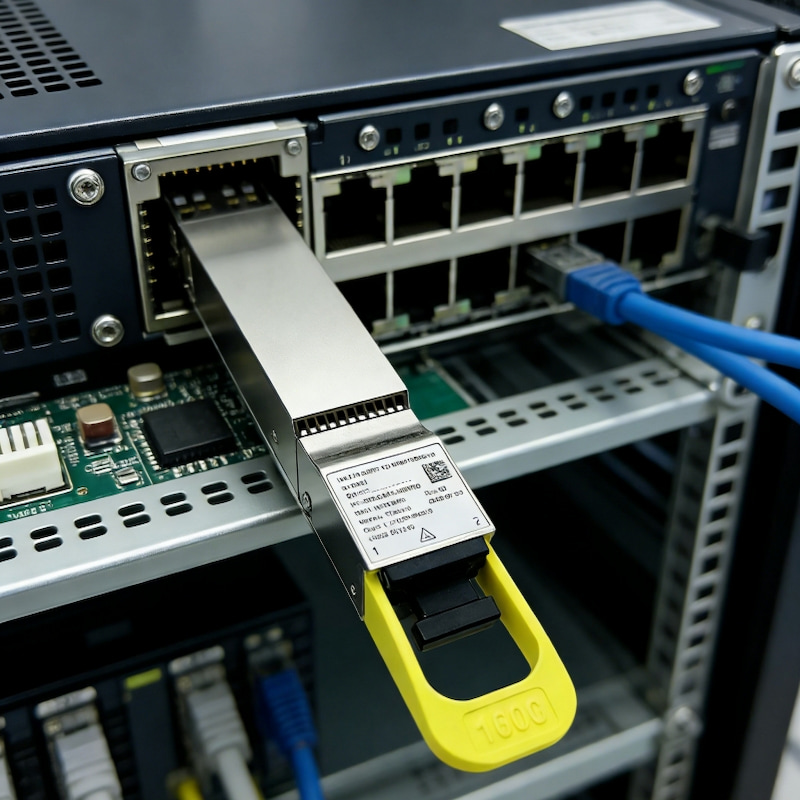
    Choose high speed optical transceivers by matching five things to your fabric: speed, reach, fiber type, form factor, and switch compatibility. The fastest port rarely wins. Accelerated computing workloads reward low latency, high port density, and predictable power budgets instead.   Start with the workload, then work outward. That order makes transceiver selection repeatable, and it keeps optical transceiver speed tied to real link distances rather than marketing. Every transceiver you add also changes rack power, cooling, and cabling infrastructure.   Plan density and migration early. A reliable partner such as X REACH LIMITED supplies matched optics and cabling, so your infrastructure stays consistent as you scale.   Key Takeaways Match transceiver speed to the port role, not the highest number. Use 100G for access, 400G for spine, and 800G for uplinks. Choose single-mode fiber for new AI builds. It reduces fiber count by four times and supports clean upgrades to 800G. Test every module in breakout mode before deployment. Firmware limits cause most failures, especially in 800G to 4x100G splits. Calculate per-port power draw for each rack. 800G modules add 14-18W, raising thermal load by 1.5 to 2 times.   Speed Tiers for High Speed AI Data Center Optical Transceivers 100G, 400G, and 800G Compared Each speed tier serves a distinct role in the fabric. You deploy 100G at the leaf for server access and management links. You place 400G at the spine and for GPU interconnect within a rack. You reserve 800G for spine uplinks and inter-pod trunks that carry aggregated traffic.   The best choice matches workload, port type, and link distance. Raw speed alone tells you little. A 400G port that reaches 500 meters solves a different problem than one that reaches 2 kilometers. Transceiver Fiber / Connector Maximum Reach 400G-DR4 Single-mode / MPO-12 500 m 400G-FR4 Single-mode / Duplex LC 2 km That gap matters. You pick DR4 for in-row and adjacent-row runs. You pick FR4 when the link crosses a hall. Optical transceiver speed stays constant across both, yet reach dictates which module fits your layout.   Why AI Fabrics Push Toward 800G and 1.6T AI training changes the bandwidth math. A single GPT-class training run can saturate 100G links thousands of times over. NVIDIA GPU clusters connect 100,000+ accelerators in one fabric. Each GPU requires 400–800 Gbps of interconnect bandwidth. Aggregate capacity reaches 80 petabits per second across such a cluster. AI training requires 800G today and 1.6T by 2026, whereas 400G was sufficient for general cloud workloads. Parameter server communication for gradient synchronization alone demands 3–5 Tb/s. All-reduce operations need simultaneous high-speed access to every node. Checkpoint storage and data pipeline feeding add continuous load. High Bandwidth  Optical Transceivers absorb this pressure by packing more lanes per module.   The 1.6T rollout follows a clear sequence: 2025–2026: Early deployment and volume ramp, concentrated in AI training clusters and high-capacity spine layers. 2026–2027: Broader AI fabric adoption, with mixed 400G/800G/1.6T environments remaining common. 2027 and beyond: The roadmap points toward 3.2T modules, with OSFP-XD positioned for higher lane density. Vendor momentum confirms the shift. Marvell shipped its 3nm Ara 1.6T PAM4 DSP in mass volume in March 2026. Cisco announced Silicon One G300 systems with 64 ports capable of 1.6T operation. Arista announced 64-port 1.6T platforms in the 7060XE7 family. Early 1.6T deployments carried premium pricing above $3,000 per unit.   Standards still trail hardware. As of July 2026, IEEE P802.3dj remained in Draft 3.1. Final publication is pending. Your procurement specs must therefore distinguish "designed to the current P802.3dj draft" from compliance with a final published standard. OSFP MSA Revision 5.1 includes OSFP1600 provisions, and OIF released CMIS 5.4 in May 2026.   Plan your infrastructure around this cadence. Buy 800G for today's AI clusters, and confirm that your switch silicon and cabling support a later 1.6T upgrade. That approach protects your infrastructure investment and preserves efficiency as network traffic grows.   Reach, Fiber, and Optical Transceivers for Data Center Networks SR, DR, FR, and LR Reach Classes Reach class tells you how far a link can run. At 400G, the four common classes cover very different distances. Transceiver Type Maximum Supported Distance Fiber/Medium 400G SR8 100 m OM3 multimode (MPO-16, 850 nm) 400G DR4 500 m Single-mode (MPO-12, 1310 nm) 400G FR4 2 km Single-mode (duplex LC, CWDM) 400G LR4 10 km Single-mode (duplex LC, CWDM) You pick SR8 for in-rack runs under 100 meters. DR4 handles leaf-to-spine links inside one hall. FR4 and LR4 serve longer paths, including building-to-building spans. Long Distance Optical Transceivers such as LR4 modules carry traffic across a campus without regeneration.   Single-Mode vs. Multimode and MPO Architecture Single-mode fiber now dominates new AI builds. At 400G, SR8 uses 16 fibers through an MPO-16 connector. DR4 uses an MPO-12 connector, covering 500 meters over single-mode fiber. That reduction in fiber count shrinks cable bulk and simplifies MPO architecture.   Cost drives the decision too. A 400G SR8 module costs about $219, and a 400G DR4 costs about $549. Multimode wins on near-term optics price for short links. Single-mode wins when you plan for growth. The crossover point sits around 200–250 meters for 100G deployments. Beyond that, single-mode becomes both technically required and cheaper over time.   Your transceiver selection shapes topology scalability. Single-mode upgrades to 800G DR8 by doubling lanes. Multimode has no clean 800G path without new MPO-16 links. Plan your fiber infrastructure once, and you avoid a costly recabling project later.   Form Factor and Switch Compatibility QSFP-DD, OSFP, and QSFP112 Form factor decides how much bandwidth fits on a faceplate and how much heat each port produces. QSFP-DD is a common form factor for 400G modules, while OSFP targets 800G and 1.6T with support defined in OSFP MSA Revision 5.1. QSFP112 is another 400G form factor using fewer, faster lanes. Match the form factor to your switch ASIC and your cooling design before you commit.   Port, Breakout, and Interoperability Checks Breakout turns one 400G port into four 100G links. This pattern suits spine-to-leaf fan-out, GPU cluster expansion, and gradual 100G-to-400G migration. You need the right switch port profile, MPO breakout harnesses, compatible remote optics, and accurate lane mapping.   Validate every module against the switch vendor's compatibility matrix for your exact SKU and software version. Confirm the power class, and check that CMIS versions match between switch firmware and transceiver. Test breakout modes in a lab first. Low-cost modules often run fine at native 400G and then fail during breakout because of firmware or lane-mapping limits. Compatibility varies by vendor and module. Treat transceiver selection as a compatibility exercise, not a speed contest, and your ai fabric will link up cleanly on the first attempt.   Power, Cooling, and Reliability in AI Networks Power and Thermal Budgets per Port Higher optical transceiver speed raises heat per module. 800G modules draw more power than 400G modules, which reshapes your rack budget. Per transmitted bit, 800G is more efficient, driving migration across AI clusters. Yet each module still adds heat you must remove.   Cooling capacity now limits rack density. Moving from 400G to 800G per-port power raises rack thermal load, so cooling built for 400G may not serve 800G.   Dust, Heat, and Mechanical Stress Risks AI racks reach high power densities. GPU temperatures remain elevated for long periods. Your GPU Cluster Network Optical Transceivers must survive this. Port-side exhaust designs add thermal stress, and unstable airflow shrinks link margin. Temperature Effect Impact on Optical Performance Reliability Implication Elevated temperature Reduced optical power output Lower link margin stability Temperature fluctuation Increased signal variation and jitter Higher BER risk Stable thermal control Consistent optical performance Extended module lifespan Heat also shifts laser wavelength. In WDM systems, that drift can push a signal outside the receiver filter window. BER then climbs, and the link may drop entirely.   Dust and mechanical stress compound the problem. Contaminated MPO end faces scatter light and cut margin. Repeated insertion wears connector ferrules. High-quality optics reduce dust, heat, and stress failures, protecting your infrastructure and performance over years of service.   Selection Framework and Common Mistakes Step-by-Step Selection Order A repeatable order keeps transceiver selection grounded in your fabric instead of a spec sheet. Work through these steps in sequence: Define the workload. Identify whether the link serves GPU interconnect, spine aggregation, or storage. AI training clusters favor short, dense, low-latency links. Set the speed. Match bandwidth to the port role, not to the highest number available. Fix the reach. Measure the actual fiber run. Choose SR8 for multimode up to 100 m, DR8 for single-mode up to 500 m, and FR4 for single-mode up to 2 km. Confirm the fiber plant. Switching between multimode and single-mode raises deployment cost sharply. Pick the form factor. Verify OSFP or OSFP-XD support against your switch ASIC bandwidth. Validate compatibility. Check the vendor list, confirm EEPROM coding, and test on real hardware before large-scale rollout. Budget power and cooling. Add per-port wattage across every port in the rack. Plan spares. Keep a modest pool per optic type. This sequence protects your infrastructure budget and your deployment schedule.   Pitfalls That Derail AI Deployments The cheapest module on a quote often costs the most over its life. Buying LR4 for a 1 km link purchases distance the network never uses and adds power draw at every port. The reverse error hurts too. A DR4 module on a span near 700 to 1000 meters can force redesigns or emergency replacements once margin disappears. Power compounds this. Even a small wattage increase multiplies across hundreds of ports.   Cabling mistakes are equally common. Watch for these: Wrong MPO connector type. SR8 needs MPO-16, DR4 needs MPO-12. Polarity mismatch. Mating APC and UPC connectors. Wrong connector gender. Transceivers use male MPO connectors. Patch cables must use female. Improper breakout cabling for 800G links. Poor length planning. Supply risk deserves equal attention. A design that depends on one coded module from one source can stall an entire build when DSPs, EML lasers, or packaging capacity tighten. Multi-vendor qualification and a defined spare policy reduce that exposure. Downtime costs make these pitfalls concrete. A 1000-GPU cluster with low-quality optics can suffer significant losses.   Long Distance Data Center Optical Transceivers and GPU Cluster Network Optical Transceivers each carry distinct failure modes. High Bandwidth Data Center Optical Transceivers reward careful planning. Treat transceiver selection as a lifecycle decision. Your infrastructure, performance, and efficiency all depend on it.     Match speed, reach, fiber, form factor, compatibility, and operational fit to your fabric. That sequence keeps high speed ai data center optical transceivers aligned with real workload needs.   AI networks reward early planning. Density, power, and migration paths deserve attention before you buy. One-off purchases raise cost and risk across your infrastructure.   Validate every optic against your switch vendor's compatibility list. Source from a reliable partner for consistent quality and supply. Careful planning protects your infrastructure and keeps your network efficient as you scale.   FAQ Which speed should you choose first for an AI fabric? Start with the port role. Use 100G for server access, 400G for spine and in-rack GPU links, and 800G for spine uplinks and inter-pod trunks. Match bandwidth to the workload instead of chasing the highest number on a datasheet. How do you pick between SR8, DR4, FR4, and LR4? Measure the actual fiber run. SR8 covers multimode links up to 100 m. DR4 reaches 500 m over single-mode. FR4 and LR4 extend to 2 km and 10 km. Long Distance Data Center Optical Transceivers such as LR4 carry campus spans without regeneration. Why does single-mode fiber dominate new AI builds? Single-mode fiber dominates new AI builds due to its longer reach and bandwidth headroom. At 400G, DR4 uses an MPO-12 connector, while SR8 uses an MPO-16 connector, so single-mode fiber reduces cable bulk. Single-mode also upgrades cleanly to 800G DR8. What breaks 800G breakout links most often? Firmware and lane-mapping limits cause most failures. A module that runs fine at native 400G may fail during 4x100G breakout. Confirm the switch port profile, use the correct MPO harness, and test breakout modes in a lab before you scale. How much power and heat does each port add? 800G modules draw more power than 400G modules, so moving from 400G to 800G raises rack thermal load. Add per-port wattage across every port, then confirm your cooling design handles the total. Why plan spares and multi-vendor qualification? GPU downtime can be costly. A 1000-GPU cluster with a significant optics failure rate can lose many hours. Multi-vendor qualification and a defined spare pool protect your infrastructure from supply shortages and single-source risk. Careful planning keeps that infrastructure efficient as you scale.
  • Why RTX 5090 is the Best GPU for Gaming and AI
    Why RTX 5090 is the Best GPU for Gaming and AI
    September 17, 2026
    The RTX 5090 stands as the best GPU for gaming and AI. You get unmatched power from the NVIDIA GeForce RTX 5090, and no other GPU comes close. This gaming flagship delivers three pillars of dominance. First, massive compute from 21,760 CUDA cores drives frame rates. Second, DLSS 4.5 with Multi-Frame Generation boosts 4K path-traced titles by up to 35%, according to NVIDIA benchmarks. Third, 32GB GDDR7 accelerates model training. The rtx 5090 specs include PCIe 5.0 x16 and DisplayPort 2.1. This performance sets a new bar. Benchmarks, specs, and head-to-head comparisons back every claim. This GPU redefines what a graphics card can achieve, and no other GPU matches it.   Key Takeaways The RTX 5090 dominates gaming with 21,760 CUDA cores and DLSS 4.5, delivering smooth 4K and 8K gameplay. Its 680 Tensor Cores and 32GB GDDR7 memory accelerate AI training and inference, handling large models with ease. You get 78% more memory bandwidth than the RTX 4090, speeding up data-intensive tasks like model training and 8K video editing. The card requires a 950W power supply due to its 575W power draw, so plan for a robust PSU. Upgrade if you demand maximum performance for gaming, AI, or professional work; skip it if you game at 1080p. RTX 5090 Gaming Performance     Raw Power and Benchmarks The Blackwell architecture powers every frame you render on the RTX 5090. At its core, you find 21,760 CUDA cores and 170 fourth-generation RT cores. These numbers represent a roughly 33% increase over the previous flagship. The table below shows the direct comparison. Specification RTX 5090 RTX 4090 CUDA Cores 21,760 16,384 RT Cores 170 128 This jump in raw hardware translates directly to gaming benchmarks. In 3DMark Port Royal, a ray-tracing focused test, the RTX 5090 scores 46,823 with an Intel Core i9-14900K. A second entry with an AMD Ryzen 9 9950X3D reaches 46,808. In Time Spy Extreme, a DirectX 12 benchmark at 4K resolution, the card posts 26,815 with the Ryzen 9 9950X3D. These results place the GPU at the top of the Hall of Fame leaderboards. You get smooth 4K gameplay in every modern title. At 8K, the card maintains playable frame rates in demanding engines. The rtx 5090 specs include PCIe 5.0 x16 for ultra-low latency. DisplayPort 2.1 and HDMI 2.1 outputs support high-refresh 4K and 8K monitors. This connectivity ensures your display never bottlenecks the graphics processor.   Ray Tracing and DLSS 4.5 Ray tracing on this GPU reaches new heights. The 170 fourth-generation RT cores handle real-time path tracing with remarkable efficiency. You see photorealistic lighting, shadows, and reflections in supported games. The RTX 5090 pairs this hardware with DLSS 4.5 and Multi-Frame Generation. This technology inserts additional frames between rendered ones. Frame rates in demanding titles climb significantly as a result. NVIDIA designed DLSS 4.5 to work across a broad library of games. You enable it in settings and gain performance without major visual compromise. The combination of strong RT hardware and DLSS makes 4K path tracing a practical option.   The geforce rtx 5090 also benefits from high memory bandwidth. Its 32GB of GDDR7 VRAM on a 512-bit bus delivers up to 1,792 GB/s. This memory bandwidth feeds the GPU with data quickly. High memory bandwidth matters for large textures and complex scenes. The card sustains consistent frame delivery because of this memory bandwidth advantage. For competitive gaming, PCIe 5.0 x16 reduces latency further. You react faster in fast-paced titles. The RTX 5090 delivers a gaming experience that no rival matches. Its real-world benchmark performance in ray-traced games sets the standard. Every benchmark confirms the card's dominance in the gaming space.   NVIDIA AI Performance and Workloads     Tensor Cores and 32GB GDDR7 The RTX 5090 transforms AI workloads through its fifth-generation Tensor Cores. These specialized units accelerate matrix operations at the heart of every neural network. You get 32GB GDDR7 VRAM on a 512-bit bus, a configuration that handles massive datasets without swapping to system memory. The memory bandwidth reaches 1,792 GB/s. Compare that figure to the RTX 4090's 1,008 GB/s. You gain a 78% increase in memory bandwidth. This advantage matters when you train large language models or process high-resolution images. The geforce rtx 5090 feeds data to its cuda cores at extraordinary speed.   Your model training completes faster because the gpu never waits for data. The 32 gb gddr7 vram also supports inference on models that exceed 24GB. You run larger batches and achieve higher throughput. Scientific computing benefits from this memory bandwidth as well. Simulations in fluid dynamics or molecular modeling demand rapid data access. The rtx 5090 delivers that access consistently. Hardware power loss protection adds enterprise-level reliability. Your long training runs survive unexpected power events without data corruption. This feature separates the rtx 5090 from consumer-grade gpu options.   Software Ecosystem and AI Benchmarks NVIDIA maintains the CUDA ecosystem as the industry standard for AI development. You access optimized libraries for deep learning, computer vision, and scientific computing. Popular frameworks like PyTorch and TensorFlow run natively on this platform. The gpu accelerates model training, inference, and fine-tuning tasks. Real-world benchmarks confirm the performance advantage. In ResNet-50 training, the RTX 5090 processes 1,128.6 samples per second at FP32 precision. The RTX 4090 manages 757.5 samples per second. At FP16 precision, the rtx 5090 reaches 1,623.9 samples per second. The previous flagship delivers 1,360.6 samples per second. These results show consistent gains across precision modes. Your deep learning pipelines finish sooner. The gpu also excels at inference workloads. You deploy trained models with lower latency. Scientific computing applications benefit from the same architecture.   Researchers run simulations that previously required multiple gpu units. The CUDA ecosystem supports these workloads with mature tools. You find documentation, community support, and enterprise assistance readily available. The dlss technology also leverages Tensor Cores for gaming. This dual-purpose design makes the rtx 5090 valuable for both AI research and entertainment. The gpu handles professional 3D rendering and CGI production efficiently. Video editors achieve real-time 8K playback. Virtual production studios rely on this performance for digital twins. The gpu meets enterprise reliability standards. Hardware power loss protection ensures your work survives power interruptions. The rtx 5090 stands as the definitive choice for AI professionals who demand maximum performance.   Versus Previous-Gen Flagships You see the biggest gains when you place the rtx 5090 vs rtx 4090 side by side. The newer card carries 21,760 CUDA cores against 16,384, and its 32GB of GDDR7 memory doubles the older 24GB buffer. Memory bandwidth climbs from 1,008 GB/s to 1,792 GB/s, a 78% increase. That extra memory bandwidth feeds large language models and 8K textures without stalling. In ResNet-50 training, the rtx 5090 hits 1,128.6 samples per second at FP32, while the RTX 4090 manages 757.5. Your training runs finish sooner, and your inference latency drops.   Power tells a similar story. The rtx 5090 specs list a 575W rating against the RTX 4090's 450W. Under gaming load, the newer card draws 685W versus 610W. Peak transient spikes reach 1,150W compared with 850W. You need a 950W power supply, not the 850W unit the older flagship recommends. The RTX 5090 is rated at 575 W versus the RTX 4090's 450 W, representing a significant increase in power consumption alongside its performance gain.   Versus Current-Gen Competitors AMD's RX 7900 XTX draws 355W at full load and pairs with an 800W PSU. The rtx 5090 consumes more power, yet it returns far greater performance in gaming and ai tasks. Its CUDA ecosystem gives it a software advantage no rival matches. Professional workloads like 3D rendering and CGI production run faster on this gpu. The rtx 5090 price reflects this gap. You pay more upfront, and the cost extends to cooling and power delivery. A robust case and a quality 950W unit add to the total cost. Still, no competing gpu delivers the same benchmark results. The rtx 5090 earns its place as the top graphics card for buyers who need maximum performance.     The rtx 5090 earns its title as the best GPU for gaming and AI. You see the evidence in every benchmark. The nvidia geforce rtx 5090 delivers unmatched frame rates at 4K and 8K. Its 32GB GDDR7 accelerates model training. This gpu suits 4K and 8K gamers, AI researchers, content creators, and workstation users. You may skip this gpu if you game at 1080p. The cost and price reflect flagship status. You also need a 950W power supply. The nvidia gpu sets the bar for future generations. No other gpu matches this performance. The best graphics cards will follow this gpu's lead. The cost of entry is high.   FAQ What power supply do you need for the RTX 5090? You need a 950W power supply unit. The card draws 575W under load, and transient spikes reach higher levels. A quality unit with robust delivery prevents instability. The rtx 5090 demands more headroom than previous flagships. How does 32GB of VRAM help AI workloads? You run larger models without swapping to system memory. The 32GB of vram handles big language models and high-resolution datasets. Training completes faster because the gpu accesses data quickly. This capacity supports inference on models that exceed 24GB. Does DLSS 4.5 improve gaming performance? Yes. DLSS 4.5 with Multi-Frame Generation inserts additional frames between rendered ones. Frame rates climb significantly in demanding titles. You enable it in settings and gain smooth 4K path tracing. This technology works across a broad game library. Should you upgrade from an RTX 4090? You gain 78% more memory bandwidth and roughly 33% more CUDA cores. The nvidia gpu trains models faster and renders 8K content smoothly. The cost of entry is high, and you need a new power supply. Upgrade if you demand maximum performance. Does this GPU support professional workloads? Yes. The nvidia gpu handles 3D rendering, CGI production, and real-time 8K video editing. Hardware power loss protection adds enterprise reliability. The CUDA ecosystem supports deep learning and scientific computing. This gpu meets workstation demands.
  • What Is an SSD and How Does It Work in 2026
    What Is an SSD and How Does It Work in 2026
    September 03, 2026
    You press the power button. Your old computer takes a minute to reach the desktop. Your new one is ready in seconds. Have you wondered why? The answer lies in the storage. Your new machine uses an SSD, a solid-state drive. This type of computer storage relies on memory chips, not moving parts. The older Hard Disk Driver SSD comparison highlights this shift. A hard disk drive (HDD) uses spinning platters. An SSD stores data on flash memory, making it faster and more reliable. This speed difference is dramatic. The table below shows typical boot times. System HDD Boot Time (seconds) SSD Boot Time (seconds) Windows 11 60–90 12–17 Linux Ubuntu 45–70 8–15 This performance boost comes from the solid-state design. No moving parts mean less delay. You get instant access to your files. Key Takeaways SSDs use flash memory, not moving parts, so they are faster and more reliable than HDDs. Choose an NVMe SSD for maximum speed, especially for gaming or heavy tasks. SSDs are silent, durable, and use less power, making them ideal for laptops. Upgrade to an SSD for quicker boot times and better overall performance. Consider your needs and budget when picking an SSD, as they cost more per gigabyte than HDDs. How Solid-State Drives Store Data NAND Flash Memory: The Digital Storage Cells Solid-state drives use non-volatile flash memory. This means data remains intact when you power off your computer. Imagine a vast grid of tiny boxes. Each box, called a NAND cell, holds an electrical charge. That charge represents your data as binary code—ones and zeros. The presence or absence of charge determines the value stored. Not all cells hold the same amount of data. Manufacturers classify NAND by how many bits each cell stores. The table below shows the common types you will encounter in 2026. Cell Type Bits per Cell SLC 1 MLC 2 TLC 3 QLC 4 More bits per cell mean lower cost and higher capacity. However, this density comes with a trade-off in endurance. Each cell can only endure a limited number of program/erase cycles before it wears out. The table below illustrates typical endurance ranges. NAND Type Bits per Cell Typical Endurance (Program/Erase Cycles) SLC 1 50,000 – 100,000 MLC 2 3,000 – 10,000 TLC 3 1,000 – 3,000 QLC 4 150 – 1,000 Modern drives overcome endurance limitations through 3D NAND architecture. Instead of placing cells flat on a single plane, manufacturers stack them vertically in layers. This approach increases capacity dramatically without shrinking individual cells. A 2.5-inch drive can now hold over 1 TB of data. The vertical design also reduces electron interference, which improves reliability compared to older planar designs. The Controller: The Brain of the SSD The NAND cells store your data, but the controller manages everything. This small processor acts as the traffic director for all ssd storage operations. It communicates with your computer's RAM and translates requests into physical actions on the flash memory. The controller performs several critical tasks to maintain ssd performance: Flash Translation Layer (FTL): Translates logical block addresses from your operating system to physical NAND locations. Wear Leveling: Distributes write/erase cycles evenly across all blocks to prevent premature wear on any single area. Garbage Collection: Consolidates valid data from partially filled blocks and erases old blocks to reclaim space during idle time. Error Correction Code (ECC): Detects and corrects bit errors that occur as flash memory degrades over time. TRIM Command: Informs the drive which data blocks are no longer needed, enabling efficient garbage collection. The controller also manages data transfer between the host system and NAND storage. When you save a file, the controller receives the command with a logical block address. It then translates that address to a physical page location. Since NAND cannot overwrite data in place, the controller allocates a new location for updated data and updates its mapping table. This process happens in milliseconds. The lack of moving parts in solid-state drives eliminates mechanical latency. Your system accesses data almost instantly. This design also removes the risk of mechanical failure from dropped or bumped devices. Modern controllers even schedule background tasks intelligently, ensuring garbage collection does not interfere with your active workloads. Whether you use a consumer drive for gaming or an enterprise NVMe SSD like the Solidigm D7-P5520 for data centers, the controller ensures consistent performance. Even demanding applications like those running on an NVIDIA GeForce RTX 5090 benefit from fast flash-based memory access. SATA SSDs: The Universal Upgrade SATA SSDs represent the most accessible entry point into solid-state storage. These drives use the same interface that older hard disk drives employed, making them compatible with nearly any desktop or laptop manufactured in the last decade. You can install one in an existing system without special adapters or BIOS changes. The 2.5-inch form factor resembles a slim rectangular box measuring approximately 100 mm by 70 mm, with a thickness of just 7 mm. This shape fits into standard drive bays found in most desktop cases. The performance ceiling for SATA III caps at 600 MB/s theoretically, though real-world speeds reach approximately 550 MB/s for reads and 520 MB/s for writes. These numbers represent a massive improvement over mechanical drives. However, the SATA interface itself creates a bottleneck. The protocol was designed originally for spinning disks, not flash memory. This limitation explains why SATA ssd storage solutions deliver consistent but modest performance gains compared to newer alternatives. NVMe SSDs: Maximizing Speed with PCIe NVMe (Non-Volatile Memory Express) eliminates the SATA bottleneck entirely. Instead of routing data through a SATA controller, NVMe communicates directly with your system's CPU over the PCIe bus. This architectural difference cuts command latency from approximately 6 microseconds with AHCI to just 2.8 microseconds with NVMe. The protocol was built specifically for flash memory, enabling parallel data paths that maximize throughput. The physical design differs dramatically as well. M.2 NVMe drives resemble small sticks rather than boxes, measuring 22 mm wide and typically 80 mm long, with a thickness of only 2 mm. This compact form factor weighs between 5 and 10 grams, compared to 40-60 grams for a 2.5-inch SATA drive. Laptops benefit enormously from this space efficiency, allowing manufacturers to create thinner devices without sacrificing ssd storage capacity. Performance figures illustrate the gap between interfaces clearly. NVMe over PCIe 4.0 achieves theoretical speeds up to 8000 MB/s, with real-world reads between 7000 and 7400 MB/s. That translates to roughly ten times the speed of SATA III. The latest PCIe 5.0 generation doubles the theoretical ceiling to approximately 16,000 MB/s, serving demanding workloads like AI analytics and high-performance computing. Gamers running an NVIDIA GeForce RTX 5090 will notice faster level loading and texture streaming with an NVMe drive. Data centers deploying enterprise NVMe SSD solutions such as the Solidigm D7-P5520 rely on this speed for mission-critical applications. Your choice between ssd types depends on your motherboard's available slots and your performance requirements. SATA drives offer universal compatibility at lower cost. NVMe delivers unmatched speed for those who demand maximum responsiveness. SSD vs. Hard Disk Driver: Which Is Better? When you compare a hard disk driver ssd to a traditional hard disk drive, the differences become clear. The core distinction lies in the mechanical design. A hard disk drive relies on spinning platters and a moving read/write head. Solid-state drives use flash memory chips with zero moving parts. This fundamental difference drives every other comparison point. Speed, Durability, and Noise: The Key Differences Speed is the most noticeable advantage of solid-state drives. Without a spinning disk, your system accesses data almost instantly. Boot times shrink from over a minute to just seconds. Applications launch without delay. This speed transforms your daily computing experience. The ssd vs hdd comparison shows that SSDs eliminate the mechanical latency inherent in older drives. Durability also favors the solid-state design. Because no moving parts exist, SSDs resist physical shock far better than HDDs. The hard disk driver ssd reliability data shows that SSDs experience lower failure rates. Backblaze evaluated 284,386 drives in the second quarter of 2024. They found an annual average failure rate of 1.71% for hard drives. A study by Schroeder & Gibson reported an overall weighted annual replacement rate of 3.01% for HDDs. The range of failure rates spanned from 0.5% to 13.5% depending on drive age. Manufacturer datasheets list typical AFR for solid-state drives at 0.58% to 0.88%. Flash drives experience significantly lower replacement rates than traditional hard disk drives, though they can exhibit higher rates of uncorrectable errors. SSD storage solutions offer better reliability for your data over the long term. Noise is another area where SSDs excel. An SSD produces zero decibels under all operating conditions. A hard disk drive generates noise from its spinning platters and seeking head. Storage Type Noise Level (dB) Operating Condition HDD (Enterprise, 600GB SAS) 30–35 Normal operation HDD (Enterprise, 600GB SAS) 40–45 Heavy load SSD (SATA/SAS models) 0 (silent) All conditions This silence contributes to a more pleasant computing environment. The Pros and Cons of Making the Switch The advantages of solid state drives are compelling. You get faster boot times, quieter operation, better durability, and lower power consumption. The lack of moving parts reduces heat output, which benefits laptops. Energy efficiency is another benefit. SSDs consume less power than HDDs, which extends battery life in laptops. This combination of benefits makes solid-state drives the preferred choice for modern computers. For demanding applications like gaming on a high-end graphics card such as the NVIDIA GeForce RTX 5090, an SSD ensures textures load quickly. Enterprise users benefit from enterprise NVMe SSD solutions like the Solidigm D7-P5520, which deliver consistent performance for data-intensive workloads. The main drawback remains cost. The hard disk driver ssd cost comparison reveals that SSDs still cost more per gigabyte than HDDs. The table below shows current pricing. Capacity SSD NVMe Cost SSD 2.5" Cost HDD Cost 1 TB $38.99 $34.99 $26.99 2 TB $69.98 $68.98 $35.99 4 TB $199.99 $179.99 $49.64 8 TB $899.99 $499.00 $99.99 16 TB - $2499.99 $224.99 The price difference between SSD and HDD has narrowed over the years, but a gap remains. At 4 TB, an SSD costs roughly four times more than an HDD. Another consideration is lifespan. Most modern SSDs last 5 to 10 years under normal daily use, often outlasting the typical warranty period. Write endurance is a consideration for heavy users. Modern SSDs manage this through wear leveling, ensuring the drive lasts many years. For your primary ssd storage, this longevity makes the investment worthwhile. For most users, the benefits of solid-state drives outweigh the higher price. The performance improvement alone justifies the investment. The hard disk driver ssd choice ultimately depends on your budget and storage needs. Pair an SSD with traditional hard disk drives for bulk storage if you need both speed and capacity. The versatility of an SSD makes it suitable for both everyday computing and professional workloads. Practical Guide: Upgrading to a Solid State Drive How to Choose the Right SSD for Your Needs Your primary use case determines which solid state drive fits your workflow. Gamers pairing their system with a high-end GPU like the NVIDIA GeForce RTX 5090 need an NVMe drive with fast random read speeds. Content creators face different demands. You need separate drives for your system, active projects, and cache files in advanced setups. A single-drive configuration forces compromises that slow your editing timeline. Factor Key Consideration Practical Guidance Drive Type System drives prioritize low latency; project drives need sustained speeds and DRAM Use separate SSDs for system, project, and cache in advanced rigs Capacity & TBW Higher capacity yields better cost-per-TB and higher total TBW rating Choose at least 1TB–2TB for value; larger drives last longer under heavy writes DRAM Cache DRAM-equipped drives prevent slowdowns during extended writes Prefer DRAM for project drives; non-DRAM options may suffice for cache drives Real-world Speed Advertised sequential speeds rarely sustain; random read/write matters more Check benchmarks like PCMark 10; expect real transfers around 2,500–3,000 MB/s Individual editors handling smaller projects need a minimum 1TB ssd storage solution. Small teams collaborating efficiently benefit from a centralized NAS with 4TB–8TB capacity. Larger teams working on high-definition video require shared storage with 20TB or more. Professional studios producing 4K/8K content should invest in a SAN setup exceeding 50TB for optimal performance and future growth. Your project resolution, number of concurrent users, and backup needs all factor into this decision. Enterprise workloads demand different considerations. An enterprise NVMe SSD like the Solidigm D7-P5520 delivers consistent ssd storage performance for data centers running AI analytics or database applications. These drives offer higher endurance ratings and power-loss protection features that consumer models lack. Installation and Longevity: Tips for a Healthy Drive You have two installation paths when upgrading from a hard disk drive. Cloning copies your entire operating system and files to the new ssd. Fresh installation gives you a clean slate, eliminating accumulated digital clutter. Most users prefer cloning for convenience, but a fresh install often yields better long-term ssd performance. The TRIM command plays a vital role in maintaining your drive's health. This operating system instruction tells your ssd which data blocks are no longer needed after file deletion. Your drive then proactively erases and prepares those blocks for future writes. This process reduces write amplification and unnecessary erase cycles. By minimizing internal data movement, TRIM decreases wear on flash memory cells and extends your drive's lifespan. You should also update your drive's firmware regularly using manufacturer tools. Enable TRIM through your operating system settings to ensure automatic maintenance. Avoid removing the label from your drive, as this can void your warranty. Run benchmarks periodically to verify your ssd storage maintains expected speed levels. These simple practices keep your solid state drive responsive for years. The boot time improvements and application loading gains you experience after installation will transform your daily computing routine.The solid-state design transforms your computing experience. No moving parts means faster boot times, quieter operation, and greater durability. Your ssd delivers data instantly, whether you game on an NVIDIA GeForce RTX 5090 or manage enterprise workloads with a Solidigm D7-P5520 enterprise NVMe SSD. In 2026, solid-state storage is standard, not optional. The market reflects this shift. Enterprise SSD revenue grows steadily from USD 8.5 billion in 2024 toward USD 21.50 billion by 2033, a 12.3% compound annual growth rate. This computer storage category now dominates new system builds. Storage technology continues evolving. Faster interfaces and denser memory arrive yearly. If you still run a mechanical drive, upgrade now. Your future self will appreciate the difference. FAQ How long does an SSD actually last? Modern solid-state drives survive 5 to 10 years under normal daily use. Wear leveling distributes write cycles evenly across all cells. This technology prevents any single area from wearing out prematurely. Most drives outlast their warranty periods without issue. Can I install an SSD in my older computer? Yes, you can upgrade nearly any desktop or laptop from the last decade. SATA SSDs use the same interface as traditional hard drives. Your system will recognize the drive without special adapters or BIOS changes. This compatibility makes SSDs the simplest performance upgrade available. Will an SSD improve my gaming experience? Absolutely. Games load levels faster and stream textures without stuttering. Pairing an SSD with a powerful graphics card like the NVIDIA GeForce RTX 5090 eliminates storage bottlenecks. You will notice shorter loading screens and smoother open-world exploration. What makes enterprise NVMe SSD drives different from consumer models? Enterprise drives like the Solidigm D7-P5520 offer higher endurance ratings and power-loss protection. They maintain consistent performance under continuous heavy workloads. Consumer drives prioritize cost efficiency for everyday tasks. Data centers require the reliability that enterprise NVMe SSD solutions provide.
  • NVIDIA SN5600 or Cisco 800GbE: A Comprehensive Comparison for Modern Data Centers
    NVIDIA SN5600 or Cisco 800GbE: A Comprehensive Comparison for Modern Data Centers
    August 27, 2026
    Choosing between the NVIDIA Spectrum-4 SN5600 and the Cisco Nexus G200 shapes your entire AI network strategy. You need a switch that handles massive GPU traffic without bottlenecks. The NVIDIA platform integrates deeply with Spectrum-X and BlueField-3, creating a tightly coupled fabric for accelerated computing. Cisco counters with multi-vendor flexibility and UEC compliance, appealing to heterogeneous environments.   Your data center's future depends on this decision. The NVIDIA fabric excels in lossless Ethernet and adaptive routing, minimizing tail latency for distributed training. Cisco's strength lies in standards-based interoperability, allowing you to mix equipment from multiple vendors. You must weigh ecosystem lock-in against operational freedom. Consider your AI workloads' scale and your tolerance for vendor-specific optimizations. This comparison helps you evaluate both platforms against your specific requirements.   Key Takeaways Choose NVIDIA SN5600 for tight AI ecosystem integration with DGX and BlueField-3, delivering superior performance and automation. Choose Cisco Nexus G200 for multi-vendor flexibility and UEC compliance, ideal for heterogeneous and regulated environments. Both switches deliver 51.2 Tbps throughput, but NVIDIA excels in lossless Ethernet and adaptive routing, while Cisco offers granular traffic engineering. Evaluate your workload scale, ecosystem commitment, and compliance needs to align your choice with long-term infrastructure goals. Run a proof-of-concept with your actual workloads to validate performance and operational fit before committing. Platform Overview: SN5600 vs. Cisco Nexus G200 Before you evaluate performance metrics, you need to understand what drives each platform. The NVIDIA Spectrum-4 SN5600 and the Cisco Nexus G200 represent two distinct philosophies for 800GbE networking. Your choice between them shapes your entire AI fabric strategy. Inside the NVIDIA Spectrum-4 SN5600: ASIC and Buffer The NVIDIA Spectrum-4 SN5600 centers on a purpose-built ASIC that delivers exceptional throughput for AI workloads. This switch provides a bi-directional bandwidth capacity of 51.2 Tbps, guaranteeing high throughput with low latency. You get this performance through a clever SerDes design: The Spectrum-4 ASIC uses 100 Gb/s SerDes lanes, achieved through 50 Gb/s native signaling with PAM-4 encoding (2 bits per signal). These lanes gang in groups of 8 to form a single 800 GbE port. With 64 such ports, the aggregate throughput is calculated as: 64 ports × 800 Gb/s = 51.2 Tb/s. This configuration specifically targets regional datacenter interconnects, where 800 GbE ports are the key enabler. Beyond raw speed, the SN5600 features a fully shared dynamic packet buffer architecture. This design absorbs microbursts effectively, maintaining predictable low latency during distributed training. You also gain native RoCE support and optimization for NVIDIA Spectrum-X Ethernet, creating a tightly integrated fabric for GPU clusters. The switch processes up to 33.3 billion packets per second, ensuring no packet loss under sustained load.   Cisco Nexus G200: Silicon One and UEC Readiness The Cisco Nexus G200 takes a different approach with its Silicon One G200 ASIC. This switch emphasizes multi-vendor interoperability and standards compliance. You benefit from flexible port configurations that adapt to diverse network environments. Specification Value Throughput 51.2 Tbps (full-duplex) Port Configuration 64x800GE to 512x100GE Cisco positions this platform for UEC readiness, meaning you can integrate it into heterogeneous fabrics without proprietary lock-in. The Silicon One architecture supports advanced traffic engineering, giving you granular control over data flows. For compliance-heavy environments, the Cisco Nexus line offers familiar NX-OS management, reducing operational overhead.   Your decision hinges on ecosystem priorities. The NVIDIA platform excels when you commit to NVIDIA Spectrum-X Ethernet and BlueField-3 integration. Cisco appeals when you need flexibility across multiple vendors. Both switches deliver 51.2 Tbps, but their strengths diverge in how they handle AI fabric optimization versus standards-based adaptability.   Side-by-Side Spec Comparison You need concrete numbers to evaluate these platforms. Both switches deliver 51.2 Tbps of full-duplex throughput, but their architectural choices diverge significantly. The table below captures the essential specifications you must consider. Specification NVIDIA Spectrum-4 SN5600 Cisco Nexus G200 ASIC Spectrum-4 Silicon One G200 Throughput 51.2 Tbps 51.2 Tbps Port Density 64x800GbE to 512x100GbE 64x800GE to 512x100GE Packet Processing 33.3 Bpps Comparable line-rate Buffer Architecture Fully shared dynamic packet buffer Configurable shared buffer Management OS Cumulus Linux / NVIDIA OS NX-OS Performance Stats: Line-Rate, Ports, and Latency The NVIDIA Spectrum-4 SN5600 achieves true 800G line rate across all 64 ports simultaneously. You get this performance through 100 Gb/s SerDes lanes using PAM-4 encoding. Each port groups eight lanes to form a single 800GbE connection. This configuration targets regional data center interconnects where high-density 800GbE ports eliminate bottlenecks.   Cisco's Silicon One G200 matches this throughput with identical port density. You can configure the switch flexibly from 64 ports at 800GE down to 512 ports at 100GE. This flexibility suits diverse network topologies. Both platforms process packets at line rate without dropping frames under sustained load.   Latency differentiates these switches in subtle ways. The NVIDIA platform maintains predictable low latency through its dynamic buffer design. You experience consistent packet forwarding even during microburst events. Cisco achieves comparable latency figures through its Silicon One architecture, though the buffer management strategy differs. Your workload determines which approach serves you better.   Congestion Control and Adaptive Routing AI workloads create unique traffic patterns that overwhelm traditional congestion control mechanisms. You need intelligent fabric management to maintain throughput during distributed training. Both vendors address this challenge differently. NVIDIA implements adaptive routing directly within the Spectrum-4 ASIC. This feature dynamically reroutes traffic around congested paths without CPU intervention. You benefit from automatic path selection that responds to real-time fabric conditions. The switch pairs this capability with native RoCEv2 support, enabling lossless Ethernet for RDMA traffic. NVIDIA's approach minimizes tail latency by preventing hotspots before they form.   Cisco relies on standard-based congestion control mechanisms, primarily DCQCN (Data Center Quantized Congestion Notification). You configure explicit congestion notification thresholds to manage buffer occupancy. The Silicon One ASIC supports advanced traffic engineering, giving you granular control over flow placement. This standards-based approach ensures interoperability with third-party switches in your fabric.   The management experience differs substantially between platforms. NVIDIA offers Cumulus Linux, providing you with a familiar Linux-based operating environment. You automate the switch using standard DevOps tooling. Cisco's NX-OS delivers the command-line interface that network engineers already know. Your team's operational familiarity should influence your selection.   For AI fabric optimization, NVIDIA's adaptive routing provides a distinct advantage. The switch automatically balances traffic across available paths, reducing congestion-related packet drops. Cisco's approach requires more manual tuning but offers greater control for specialized environments. You must evaluate whether automation or granular control aligns with your operational model.   The buffer architecture represents another critical distinction. NVIDIA's fully shared dynamic buffer absorbs microbursts effectively, maintaining consistent performance during bursty AI traffic. Cisco's configurable buffer lets you allocate resources based on your specific traffic profile. Both approaches prevent packet loss, but they achieve this outcome through different mechanisms.   Your choice ultimately depends on your fabric's complexity and your team's expertise. The NVIDIA platform excels in tightly integrated AI environments where automation matters. Cisco's flexibility serves heterogeneous networks that require manual optimization. Performance and AI Fabric Features   Lossless Ethernet and RDMA Optimizations Your AI cluster demands lossless ethernet to protect RDMA traffic from packet drops. The NVIDIA SN5600 delivers native RoCEv2 support with a fully shared dynamic packet buffer. This architecture absorbs microbursts at the switch level, preventing congestion from spreading across your fabric. You maintain predictable latency even when multiple GPU nodes burst simultaneously during training checkpoints.   Cisco achieves lossless transport through Data Center Bridging protocols. Priority Flow Control (PFC) sends pause frames to manage Ethernet flows, while Explicit Congestion Notification (ECN) marks packets experiencing congestion without dropping them. This standards-based approach interoperates with third-party switches in your network. You configure these mechanisms through NX-OS, tuning thresholds to match your workload profile.   The NVIDIA platform minimizes tail latency through its dynamic buffer allocation. When one port experiences a burst, the switch redistributes buffer capacity from idle ports automatically. Your distributed training jobs avoid the straggler effect that slows overall iteration time. Cisco's configurable buffer requires manual tuning but offers granular control for specialized traffic patterns.   Traffic Engineering for AI Workloads NVIDIA Spectrum-X Ethernet integrates adaptive routing directly into the ASIC. The switch reroutes traffic around congested paths without CPU intervention, responding to real-time fabric conditions. You benefit from automatic path selection that prevents hotspots before they form. This capability proves essential for your ai back-end fabric, where traffic patterns shift unpredictably across thousands of GPU connections.   Cisco counters with Intelligent Packet Flow, a comprehensive traffic engineering suite. The Silicon One G200 supports dynamic load balancing (flowlet-based) that distributes traffic based on link utilization telemetry. You also gain per-packet load balancing, which sprays packets across multiple paths for maximum throughput. Weighted Cost Multipath (WCMP) enables intelligent path weighting for asymmetric topologies. Policy-based load balancing assigns specific strategies to mixed workloads based on ACLs, DHCP markings, or RoCEv2 headers.   Visibility differentiates these platforms for ai workload analytics. Cisco provides hardware flow telemetry that accounts for every packet traversing the switch, including micro-bursts and drops. ECN mark counters report congestion per device, per interface, and at flow level through Nexus Dashboard Insights. PFC packet statistics reveal pause frames issued per class of service, enabling real-time congestion tuning. NVIDIA counters with Spectrum-4's integrated telemetry, giving you fabric-wide visibility through the Spectrum-X management plane.   Your ai back-end fabric benefits from both approaches. NVIDIA's adaptive routing reduces manual intervention, ideal for large-scale AI training where automation matters. Cisco's policy-based controls suit heterogeneous environments requiring precise traffic handling. The switch you choose determines how much control you exercise over your ai cluster's data flows.   Use Case Scenarios: When to Choose Each Your workload characteristics determine which platform serves you best. The NVIDIA SN5600 excels in tightly integrated AI environments, while the Cisco Nexus G200 thrives in heterogeneous, compliance-driven networks. Understanding these scenarios helps you align your infrastructure investment with your operational reality.   NVIDIA SN5600 for Tight NVIDIA Ecosystem (DGX, BlueField) You operate an NVIDIA-centric AI infrastructure when your compute nodes, storage, and networking form a unified stack. The nvidia spectrum-4 sn5600 integrates seamlessly with DGX SuperPOD architectures, delivering the bandwidth your GPU clusters demand. NVIDIA designs this switch specifically for Spectrum-X Ethernet fabrics, creating a cohesive environment where every component communicates optimally.   The DGX SuperPOD reference architecture demonstrates this integration clearly. You scale your AI training environment from 2,304 GPUs up to 9,216 GPUs across 16 Scalable Units. Each SU pairs two SN5600 switches as the spine layer, aggregating leaf switches that face DGX compute trays and storage. For larger deployments, you add a super spine layer with 2 groups, maintaining non-blocking characteristics throughout your fabric. Scale (GPUs) Scale (SUs) Super Spine Groups Super Spines per Group Total Super Spine Switches Total Spine Switches 2304 4 2 2 4 64 4608 8 2 4 8 128 9216 16 2 7 14 256 9216 16 6 24 144 512   BlueField-3 DPU integration elevates your ai cluster performance further. The DOCA 2.7 release enables the Spectrum-X 1.0.1 reference architecture, tested specifically for BlueField SuperNICs paired with SN5600 switches. This architecture delivers lossless ethernet through adaptive routing and DOCA programmable congestion control. You achieve GPUDirect RDMA with BlueField SuperNICs shipped in NIC mode by default, simplifying deployment.   Benchmark results demonstrate the tangible impact. A fine-tuning workload completes in 1 hour 40 minutes with GPUDirect RDMA using SN5600 and BlueField-3. The same workload takes 2 hours 30 minutes with TCP/Socket over Spectrum-4 Ethernet, and 5 hours with a default OVN network. You gain a 3x improvement over the baseline configuration, directly accelerating your AI training cycles.   Cisco Nexus G200 for Multi-Vendor and FedRAMP Environments You choose the Cisco Nexus G200 when your data center spans multiple vendors and compliance requirements dominate your decision-making. This switch supports UEC standards readiness, allowing you to integrate equipment from various manufacturers without proprietary constraints. Your network remains open and adaptable as standards evolve.   The cisco nexus platform excels in environments where you cannot commit to a single ecosystem. You mix switches from different vendors, maintaining operational flexibility across your infrastructure. NX-OS management provides familiar tooling for your network engineering team, reducing training overhead and operational risk.   FedRAMP compliance represents a critical differentiator for government and regulated industries. Cisco's established compliance framework simplifies your certification process. You deploy the G200 into environments requiring strict security controls, knowing the platform meets rigorous federal standards. This capability proves essential for public sector contracts and regulated commercial workloads.   Your ai back-end fabric benefits from Cisco's policy-based traffic engineering. You configure load-balancing strategies that match your specific workload patterns, whether you run distributed training or inference at scale. The Silicon One G200 ASIC provides granular control over data flows, enabling precise management of your ai cluster resources.   The decision ultimately rests on your ecosystem strategy. Choose NVIDIA when you commit to a tightly integrated AI stack with DGX and BlueField components. Select Cisco when you need multi-vendor flexibility, UEC compliance, and established regulatory credentials. Your ai back-end fabric architecture should reflect your organization's long-term infrastructure vision.   Decision Framework and Checklist Key Selection Criteria: Scale, Ecosystem, and Standards Your evaluation begins with workload scale. The NVIDIA SN5600 excels when you operate large-scale AI training environments with thousands of GPUs. The Cisco Nexus G200 serves heterogeneous fabrics where multi-vendor interoperability matters more than tight integration. You must assess your ai cluster growth trajectory honestly before committing to either platform.   Ecosystem commitment shapes your decision significantly. The nvidia platform delivers maximum value when you pair it with DGX systems and BlueField-3 DPUs. This integration creates a cohesive ai fabric with automated optimization. The cisco nexus alternative provides operational freedom, allowing you to mix switches from different manufacturers without proprietary constraints. Your tolerance for vendor lock-in determines which approach aligns with your infrastructure strategy.   Standards readiness influences long-term viability. Cisco positions the G200 for UEC compliance, future-proofing your network as industry standards evolve. NVIDIA focuses on Spectrum-X optimization, delivering superior performance today through proprietary enhancements. You must weigh immediate ai workload analytics benefits against future interoperability requirements.   Practical Checklist for Data Center Architects Work through this checklist before selecting your 800GbE switch platform: Document your primary workload types: distributed training, inference, or mixed enterprise traffic. Calculate your required bandwidth per rack and aggregate fabric capacity. Evaluate your team's operational familiarity with Cumulus Linux versus NX-OS. Assess your tolerance for vendor-specific optimizations versus open standards. Verify compliance requirements, including FedRAMP for government contracts. Project your ai cluster growth over the next three to five years. Test both platforms in a proof-of-concept with your actual workload patterns. Your ai-ready infrastructure depends on matching switch capabilities to operational reality. The nvidia platform delivers superior performance for dedicated AI environments. The cisco switch provides flexibility for diverse data center ecosystems. Run controlled benchmarks measuring throughput, latency, and congestion behavior under your specific traffic profiles.   The decision ultimately balances immediate performance needs against long-term architectural flexibility. Your data center architecture should reflect your organization's strategic direction. Choose the platform that serves your ai cluster requirements today while accommodating future growth.   Your ai fabric decision hinges on your ecosystem strategy. The nvidia platform excels in tightly integrated ai fabrics with superior native RDMA and buffer management. Your ai workloads benefit from the nvidia Spectrum-4 ASIC's dynamic buffer allocation. The nvidia switch minimizes tail latency for distributed training. The cisco nexus alternative provides greater flexibility in multi-vendor settings. Your network remains open with UEC compliance built into the cisco switch. You must evaluate your data center requirements against each platform's strengths. The right ai-ready infrastructure depends on your scale, ecosystem, and compliance needs. Evaluate your ai workload characteristics and run a proof-of-concept to validate your choice. Your nvidia fabric delivers peak performance for dedicated ai clusters. Your cisco network supports heterogeneous environments with diverse data flows. For nvidia-centric environments, this fabric choice ensures optimal performance for your ai fabric.   FAQ Which platform delivers better performance for AI training workloads? The NVIDIA SN5600 excels in dedicated AI environments through Spectrum-X optimization and adaptive routing. Its dynamic buffer absorbs microbursts effectively, minimizing tail latency during distributed training. Cisco offers comparable throughput but requires more manual tuning for AI-specific traffic patterns. Your workload scale determines which approach serves you better. Can I integrate either switch into an existing multi-vendor network? Cisco Nexus G200 provides superior flexibility for heterogeneous environments. Its UEC compliance and standards-based congestion control interoperate seamlessly with third-party equipment. The NVIDIA switch integrates best within a complete NVIDIA ecosystem. Your tolerance for vendor lock-in should guide this decision. What management experience should I expect from each switch? NVIDIA offers Cumulus Linux, providing a familiar Linux-based operating environment. You automate the switch using standard DevOps tooling. Cisco delivers NX-OS with the command-line interface network engineers already know. Your team's operational familiarity with either platform reduces training overhead and operational risk. How do these switches handle congestion control differently? NVIDIA implements adaptive routing directly within the Spectrum-4 ASIC, dynamically rerouting traffic around congested paths without CPU intervention. Cisco relies on DCQCN and explicit congestion notification thresholds. You configure these mechanisms through NX-OS, tuning parameters to match your specific workload profile and fabric topology. Which switch better supports future standards evolution? Cisco positions the Nexus G200 for UEC readiness, future-proofing your network as industry standards mature. NVIDIA focuses on Spectrum-X optimization, delivering superior performance today through proprietary enhancements. Your long-term infrastructure vision determines which approach aligns with your data center architecture strategy.
  • Seagate Exos X18 12TB Review: Specs, Performance and Enterprise Use Cases
    Seagate Exos X18 12TB Review: Specs, Performance and Enterprise Use Cases
    August 23, 2026
    Seagate Exos X18 12TB Review: Specs, Performance and Enterprise Use Cases If you are selecting a hard drive for a server, RAID array, data center, or large-scale storage system, capacity alone should not determine your decision. You also need to consider interface compatibility, sustained performance, workload requirements, recording technology, reliability, and the way the drive will operate over its service life.     The Seagate Exos X18 12TB is designed for exactly this type of environment. In this review, you will see what the drive offers, how the ST12000NM000J SATA model performs on paper, where it fits in an enterprise storage architecture, and when it makes sense to choose it over a consumer or NAS-oriented hard drive.   The Seagate Exos X18 12TB ST12000NM000J is a 3.5-inch enterprise SATA HDD with 12TB capacity, 7200 RPM rotational speed, 256MB cache, CMR recording, helium-sealed construction, and a SATA 6Gb/s interface. It is designed for high-capacity enterprise storage workloads, including servers, RAID systems, cloud storage, and data-center environments.   Seagate Exos X18 12TB: Key Specifications Before deciding whether this enterprise HDD is right for your system, you should first verify the exact model number. The AILINK100 product page covers ST12000NM000J, the SATA version of the 12TB Exos X18. Seagate's documentation also identifies ST12000NM000J as a 12TB SATA 6Gb/s standard model.    Specification Seagate Exos X18 12TB ST12000NM000J Product Series Seagate Exos X18 Model ST12000NM000J Capacity 12TB Form Factor 3.5-inch Interface SATA 6Gb/s Spindle Speed 7,200 RPM Cache 256MB Recording Technology CMR Drive Design Helium-sealed Sustained Transfer Rate Up to approximately 270 MB/s Annual Workload Rating Up to 550TB/year MTBF Up to 2.5 million hours   The figures above are based on AILINK100's current product information and Seagate's Exos X18 documentation. For an actual deployment, you should always verify the exact part number, firmware, interface, sector format, and server compatibility before placing a bulk order.   What Is the Seagate Exos X18 12TB Designed For? The Exos X18 belongs to Seagate's enterprise HDD family rather than its consumer-oriented storage products. That distinction matters when you are building infrastructure. A 12TB enterprise HDD is typically selected when you need a combination of: High storage density Continuous operation Predictable sustained performance RAID or large storage arrays Enterprise server compatibility High annual workload capability Large-scale deployment economics   Seagate's documentation identifies the Exos X18 family as enterprise drives and lists features including helium-sealed construction, CMR recording, PowerChoice idle power technology, PowerBalance power/performance technology, and hot-plug support. For you, the key takeaway is simple: the Exos X18 12TB is designed to be part of a storage infrastructure, not merely a large-capacity desktop hard drive.   Seagate Exos X18 12TB Performance Review 7,200 RPM for Consistent Enterprise HDD Performance The Exos X18 12TB operates at 7,200 RPM. That does not make it comparable to an NVMe SSD in latency or random I/O performance. You should not buy an enterprise HDD expecting SSD-like responsiveness.   Instead, the advantage is its balance between: Large capacity Sequential throughput Enterprise workload capability Cost per terabyte Long-duration operation For workloads dominated by sequential reads and writes, bulk storage, backup, media repositories, data lakes, and other capacity-oriented applications, this design makes considerably more sense than using premium SSD capacity for every terabyte.   Up to Approximately 270 MB/s Sustained Transfer The SATA Exos X18 documentation lists sustained transfer performance of up to approximately 270 MB/s, depending on the specific capacity and operating conditions. When you evaluate this number, keep the workload in mind. If your application is dominated by: Sequential file transfers Backup and restore Large datasets Archive workloads Video repositories Bulk data storage a high-capacity enterprise HDD can be an effective storage layer. If your workload requires extremely low latency or very high random IOPS, you should instead evaluate enterprise SSDs or NVMe storage.   Why CMR Matters on the Exos X18 12TB One of the most important specifications to check when buying a hard drive for an enterprise storage system is the recording technology. The Exos X18 uses Conventional Magnetic Recording (CMR). Seagate's product documentation explicitly lists CMR for the X18 family. Why does this matter? If you are building RAID arrays or other write-intensive storage systems, predictable write behavior is important. CMR drives are generally preferred for workloads where sustained and consistent write behavior is more important than maximizing areal density through alternative recording techniques.   For this reason, the Exos X18 12TB can be a sensible option when you are evaluating HDDs for: RAID storage Enterprise file servers Backup systems Large storage arrays Data-center capacity tiers   Is Seagate Exos X18 12TB CMR or SMR? The Seagate Exos X18 12TB ST12000NM000J is a CMR drive, not an SMR drive. Seagate's official Exos X18 documentation lists Conventional Magnetic Recording as a feature of the family. This is an important point to verify before deploying multiple HDDs in a RAID or enterprise storage environment.   Helium-Sealed Design: Why It Matters The Exos X18 uses a helium-sealed drive design. Seagate lists the helium-sealed architecture as one of the core features of the Exos X18 family. The practical objective is to reduce the resistance experienced by the internal platters and heads compared with an air-filled design, helping support higher storage density and power efficiency. For a single drive, the difference may not be the primary purchasing factor. For a storage system containing dozens or hundreds of drives, however, small differences in power and density can become much more meaningful. This is one reason enterprise HDD design needs to be evaluated at the system level, rather than by looking at capacity and RPM alone.   Seagate Exos X18 12TB Workload and Reliability The AILINK100 listing specifies an annual workload rating of up to 550TB/year and an MTBF figure of 2.5 million hours for the listed ST12000NM000J configuration. These numbers are useful when comparing enterprise HDDs, but you should interpret them correctly. An MTBF figure is not a prediction that an individual drive will run for 2.5 million hours. It is a statistical reliability metric used in product and fleet-level evaluation. Likewise, the annual workload rating should be compared with your expected storage traffic. For example, if your server performs frequent backups, large data transfers, analytics workloads, or other high-volume operations, estimating the expected annual data written and read can help you determine whether an enterprise HDD is appropriately specified.   Is Seagate Exos X18 12TB Good for Servers? Yes, provided that the interface, sector format, firmware, and physical compatibility match your server or storage controller. The Exos X18 is designed for enterprise environments, and Seagate provides both SATA and SAS variants within the X18 family. For the specific ST12000NM000J, you are looking at the SATA 6Gb/s version. Before purchasing, check: Does your server backplane support SATA 6Gb/s? Does the RAID controller support the drive? Is the 3.5-inch form factor supported? Does your server accept the drive's capacity? Is the sector format compatible with your storage software? Does the server vendor list the drive or an equivalent model as supported? This is particularly important for enterprise procurement because a physically compatible HDD is not necessarily a fully validated HDD for every server platform.   Is Seagate Exos X18 12TB Good for RAID? The Exos X18 is designed for enterprise storage environments and can be used as part of RAID-based storage architectures when the RAID controller, server, backplane, and firmware configuration support the drive. AILINK100 specifically positions the ST12000NM000J for RAID systems and enterprise storage workloads. For a RAID deployment, however, you should evaluate more than the HDD itself. Consider: RAID level Number of drives Controller compatibility Hot-spare strategy Rebuild time Backup policy Failure-domain design Expected workload Required usable capacity For example, increasing the number of 12TB HDDs can provide substantial raw capacity, but RAID configuration determines how much of that capacity is actually available to your applications. In other words, 12TB per drive does not mean 12TB of usable storage per drive after RAID configuration.   SATA vs SAS: Make Sure You Choose the Correct Exos X18 Model This is one of the most important purchasing considerations. The Exos X18 family includes different interfaces and model numbers. For 12TB, Seagate's documentation identifies: ST12000NM000J — SATA 6Gb/s ST12000NM004J — SAS 12Gb/s There are also SED and SED-FIPS variants with different model numbers. Therefore, if your storage system requires SAS, you should not automatically order the SATA ST12000NM000J simply because the capacity is correct. Likewise, if your server is designed around SATA, you should verify that a SAS model is actually supported before switching interfaces.   Quick comparison Requirement ST12000NM000J ST12000NM004J Capacity 12TB 12TB Interface SATA 6Gb/s SAS 12Gb/s Typical deployment SATA servers/storage systems SAS enterprise storage systems Same model? No No Direct replacement Only when system supports it Only when system supports it The official Seagate documentation should be your final reference for model-level specifications.   Who Should Consider the Seagate Exos X18 12TB? The drive is particularly relevant when you need high-capacity HDD storage and your infrastructure supports SATA enterprise drives. 1. Enterprise File Servers If you need large volumes of shared business data, the 12TB capacity can help increase storage density without moving every workload to SSD.   2. Backup and Disaster Recovery Storage For backup repositories, capacity and cost per terabyte are often more important than ultra-low latency. The Exos X18 can therefore make sense as a high-capacity storage layer, provided the overall backup architecture is properly designed.   3. RAID Storage Arrays CMR recording and enterprise-oriented specifications make the drive relevant to large HDD arrays, subject to controller and platform compatibility.   4. Data Center Storage If you are managing a large number of drives, capacity density, workload rating, power efficiency, and predictable operation become important purchasing criteria. The Exos X18's enterprise positioning and helium-sealed architecture are designed around this type of environment.   5. Cloud and Hyperscale Storage The Exos X18 family is positioned for enterprise and hyperscale storage applications. For large deployments, however, you should evaluate the complete storage platform rather than selecting drives in isolation.   Who Should Not Buy an Exos X18 12TB? You should think twice if your primary requirement is extremely low latency or very high random I/O performance. For workloads such as: High-transaction databases AI training scratch storage High-IOPS virtualization tiers Low-latency application storage Performance-critical metadata workloads an enterprise NVMe SSD or other enterprise SSD may be more appropriate. The Exos X18's strength is high-capacity, enterprise HDD storage, not replacing NVMe SSDs in latency-sensitive workloads.   Seagate Exos X18 12TB vs Consumer HDDs Why would you choose an enterprise HDD instead of a conventional desktop hard drive? The answer is the target workload. Consumer HDDs are generally optimized for cost-effective personal computing and general storage. The Exos X18 is designed around enterprise requirements such as: 24/7 operation High annual workloads Large-scale storage RAID environments Data-center deployments Enterprise reliability requirements Seagate's official documentation lists enterprise-oriented technologies and features across the Exos X18 family, including CMR, helium-sealed construction, PowerChoice, PowerBalance, and hot-plug support.   If you are building a business-critical storage array, the correct comparison is therefore not simply: “Which 12TB HDD is cheapest?”   A better question is: “Which 12TB HDD is appropriate for my workload, storage architecture, and expected operating environment?”   Seagate Exos X18 12TB: Main Advantages and Limitations Advantages High 12TB capacity: You can add substantial storage capacity while keeping drive count manageable. Enterprise-oriented design: The Exos X18 is built for enterprise storage applications rather than ordinary desktop workloads. CMR recording: Useful for applications where consistent write behavior is important. 7,200 RPM: Provides a reasonable balance between HDD performance, capacity, and operating efficiency. 256MB cache: Provides additional buffering for storage workloads. Helium-sealed architecture: Supports the high-density design of the Exos X18 family. SATA 6Gb/s interface: Makes ST12000NM000J suitable for compatible SATA-based servers and storage systems.   Limitations HDD latency:It cannot compete with enterprise NVMe SSDs for latency and random I/O. Interface-specific compatibility:You must verify that your server or controller supports SATA. 12TB raw capacity is not always 12TB usable:RAID, filesystem formatting, and system overhead reduce available capacity. Enterprise HDD acoustics and vibration:A data-center-class HDD may not be the ideal choice for a quiet home or office environment.   How Should You Buy Seagate Exos X18 12TB for a Server Project? If you are purchasing one drive for evaluation, the process is relatively straightforward. For a business or data-center deployment, you should approach the purchase differently. Step 1: Confirm the Exact Part Number Do not order simply by searching for “Exos X18 12TB.” Confirm whether you need: ST12000NM000J SATA or another model such as: ST12000NM004J SAS Seagate's documentation confirms that these are different interface variants.   Step 2: Confirm Server Compatibility Provide your: Server brand Server model RAID controller Backplane Existing HDD model Required capacity Interface This allows your supplier to check compatibility before you purchase in volume.   Step 3: Calculate Usable RAID Capacity If you are buying multiple 12TB drives, calculate usable capacity based on your RAID level rather than simply multiplying 12TB by the number of drives.   Step 4: Consider Your Annual Workload Compare your expected workload against the drive's rated workload. AILINK100 lists the ST12000NM000J with an annual workload rating of up to 550TB/year.   Step 5: Ask for a Sample Before a Large Deployment For larger enterprise projects, testing a sample drive in your actual server and RAID environment is a sensible procurement practice. You can validate: Drive detection RAID controller compatibility Firmware behavior SMART information Sustained performance Temperature Rebuild behavior This is much safer than discovering a compatibility issue after purchasing an entire batch.   Final Verdict: Is Seagate Exos X18 12TB Worth Considering? The Seagate Exos X18 12TB ST12000NM000J is a strong option when your priority is high-capacity enterprise SATA storage rather than SSD-level latency. You should consider it if you need: 12TB enterprise HDD capacity 7,200 RPM performance CMR recording SATA 6Gb/s connectivity RAID-compatible storage Server or data-center deployment High annual workload capability Large-scale storage density   You should look at enterprise SSD or NVMe alternatives if your workload is dominated by random I/O, latency-sensitive applications, or very high IOPS requirements.   Most importantly, do not choose the drive based on capacity alone. Confirm the exact model number, interface, controller compatibility, workload, RAID design, and deployment environment before you place your order.   For the ST12000NM000J specifically, AILINK100 currently lists it as a 12TB Seagate Exos X18 enterprise SATA HDD with 7200 RPM, 256MB cache, CMR recording, and a SATA 6Gb/s interface. You can use the product page to request availability, pricing, and compatibility support for your server or storage project.    Frequently Asked Questions About Seagate Exos X18 12TB Is Seagate Exos X18 12TB a good enterprise hard drive? Yes. The Exos X18 is an enterprise HDD family designed for large-scale storage environments. The ST12000NM000J provides 12TB capacity, 7200 RPM, SATA 6Gb/s connectivity, CMR recording, and enterprise-oriented workload specifications.   Is the Seagate Exos X18 12TB CMR? Yes. The Exos X18 family uses Conventional Magnetic Recording (CMR), including the 12TB ST12000NM000J model.   Is Seagate Exos X18 12TB suitable for RAID? Yes, when the server, RAID controller, backplane, firmware, and drive interface are compatible. It is positioned for enterprise storage and RAID applications.    Is ST12000NM000J SATA or SAS? ST12000NM000J is the 12TB SATA 6Gb/s model. The 12TB SAS variant is ST12000NM004J.   How fast is the Seagate Exos X18 12TB? The SATA Exos X18 documentation specifies sustained transfer performance of up to approximately 270 MB/s, depending on the exact model and operating conditions.   Is Exos X18 better than an SSD? Not universally. Exos X18 is better suited to high-capacity, cost-efficient enterprise HDD storage, while enterprise SSDs are generally preferable for workloads requiring very low latency and high random IOPS.   Can you use Exos X18 12TB in a server? Yes, provided the server, backplane, storage controller, firmware, form factor, interface, and sector format support the specific drive. For ST12000NM000J, you need a compatible SATA storage architecture.   Where can you buy Seagate Exos X18 12TB ST12000NM000J? AILINK100 currently offers the Seagate Exos X18 12TB ST12000NM000J and provides product inquiry and enterprise storage procurement support. For larger deployments, it is advisable to provide your server or storage configuration so compatibility can be checked before purchasing.
  • Best Enterprise Hard Drives in 2026 for Scalable Storage
    Best Enterprise Hard Drives in 2026 for Scalable Storage
    August 13, 2026
    You need the best enterprise hard drives in 2026 to scale massive server infrastructure efficiently. High-density cloud storage environments require proven drives like the Seagate Exos X series, Western Digital Gold, and Toshiba MG Series. These enterprise hard drives handle intense continuous workloads in your data center. Your procurement strategy must evaluate critical metrics beyond upfront cost-per-terabyte. You should match drive workload ratings to your system requirements while choosing SAS or SATA interface options for each server chassis. Modern high-capacity mechanical hard disk drives ensure operational reliability during continuous year-round performance. Selecting the right hardware protects your scalable storage investment.   Key Takeaways Select high-capacity drives like Seagate Exos or WD Gold to scale your data center efficiently. Match SAS or SATA drive interfaces to your specific server chassis and workload requirements. Combine high-speed solid-state drives with mechanical hard drives to create a balanced tiered storage system. Helium-sealed drive designs reduce internal gas friction and lower overall power consumption by fifty percent.   Best Enterprise Hard Drives for 2026 You need the best enterprise hard drives to manage growing operational volumes across your infrastructure. Selecting high-capacity enterprise storage hard drives allows your data center to achieve peak efficiency. Modern server chassis rely on specialized drives built for heavy continuous workloads.   Top Drives for Mass Data Density Leading manufacturers offer exceptional server hdd options designed for demanding rack environments. Seagate delivers maximum server hdd capacities through its Mozaic 3+ HAMR platform, reaching 32TB with the Exos M ST32000NM000K drive. You can also deploy the Seagate Exos M ST30000NM004K at 30TB SATA or the Exos X24 ST24000NM007H at 24TB SAS. Western Digital expands enterprise hard drives options with the WD Gold 26TB drive, which utilizes ePMR and OptiNAND technologies. Meanwhile, Toshiba provides the MG11 series at 24TB using FC-MAMR technology and a 1GB cache. The table below compares these top models across key server hdd specifications: Model Capacity Interface Workload Rating Spin Rate Seagate Exos M ST32000NM000K 32TB SATA 6Gb/s 550 TB/year 7200 RPM Seagate Exos M ST30000NM004K 30TB SATA 6Gb/s 550 TB/year 7200 RPM WD Gold 26TB 26TB SATA 6Gb/s 550 TB/year 7200 RPM Toshiba MG11 24TB SATA 6Gb/s 550 TB/year 7200 RPM Each enterprise hdd option includes critical enterprise features like rotational vibration protection and 5-year warranties. These enterprise features ensure system stability when you install dozens of drives inside a single server enclosure.   Performance Comparison of Leading Models Evaluating mechanical hdd speed helps you match each server hdd to your operational workload. Read and write speeds vary across technologies, as shown in manufacturer tests and independent evaluations: Drive Model Rated Speed Independent Sequential Read Independent Sequential Write Seagate Exos M 30TB 275 MB/s 292 MB/s 289 MB/s Western Digital Gold 26TB 288 MiB/s (~302 MB/s) 283–285 MB/s Not reported Toshiba MG11 24TB 295 MiB/s (~309 MB/s) Limited data Not reported Sequential throughput represents only one aspect of overall drive performance. You must also evaluate random access IOPS when configuring a server for mixed cloud storage applications. Standard mechanical units deliver moderate random IOPS compared to enterprise-grade SSDs for data centers. However, high-density server hdd drives remain essential for cost-effective bulk retention. As the chart illustrates, the 7,200 RPM Seagate IronWolf Pro 22TB reaches ~210 4K random read IOPS and ~230 4K random write IOPS. The Seagate Exos X20 18TB achieves ~190 4K random read IOPS and ~210 4K random write IOPS. The 5,400 RPM WD Red Plus 14TB trails with ~150 4K random read IOPS and ~170 4K random write IOPS. Integrating high-performance server hdd units alongside ssd cache tiers creates balanced storage architectures. Advanced enterprise features such as thermal throttling control drive health across dense racks. Furthermore, hardware encryption enterprise features safeguard sensitive data across active server deployments. Choosing the best enterprise hard drives ensures scalable capacity, long-term endurance, and consistent throughput for your enterprise hard drives fleet.   Key Selection Criteria for Enterprise Hard Drives You must evaluate critical technical factors before purchasing high-capacity enterprise storage hard drives for your storage array. Selecting the correct drive architecture prevents system bottlenecks and maximizes physical density.   Capacity, Interface, and Rotational Speed Interface selection defines overall system topology and drive communication speed. Enterprise infrastructure relies primarily on Serial Attached SCSI (SAS) and Serial ATA (SATA) protocols. A SAS controller or backplane accepts SATA drives, but a SATA controller will never accept a SAS drive. This hardware design rule governs connection matching across every rack enclosure. A dual-port SAS enterprise hdd provides multi-path redundancy for mission-critical operations, whereas SATA offers cost-effective connections for bulk data. You should select enterprise-grade SSDs for data centers when your workloads demand sub-millisecond access times. However, mechanical drives deliver superior cost-per-terabyte storage efficiency. Spindle rotational speed directly impacts access latency and sequential throughput, as outlined in the following table: Spindle Speed Class Strengths Best For 7,200 RPM Midline / nearline (3.5") Highest capacity, lowest cost per TB, low power Backups, archives, bulk cold storage 10,000 RPM Enterprise (2.5") Balance of speed, capacity, density General-purpose and moderate-performance workloads 15,000 RPM Performance enterprise (2.5") Lowest HDD latency, highest HDD IOPS Legacy performance needs Increasing spindle speed from 7,200 RPM to 10,000 RPM reduces average rotational latency from 4.17 ms to 3.00 ms. Higher rotational speeds elevate drive power consumption and heat output within dense chassis setups. Therefore, nearline 7,200 RPM units supply the primary high-density capacity required for large server storage pools. Evaluating endurance specs ensures your server hdd setup handles expected write traffic without unexpected failure. Workload ratings measure endurance via Total Bytes Written (TBW) or Drive Writes Per Day (DWPD). Matching drive endurance to daily write volume maintains overall server stability.   Power-On Hours, MTBF, and Reliability Features Data center systems require non-stop operation, making drive hardware durability essential. Modern enterprise hard drives support continuous operational demands through rigorous manufacturing standards. System administrators begin replacement planning around 25,000–30,000 Power-On Hours (POH) to prevent unexpected hardware downtime. You can evaluate statistical failure probabilities using established reliability formulas: Reliability Metric Formula Impact on Selection MTBF (Mean Time Between Failures) Total operational time between failures / number of failures Higher values indicate longer expected lifespan and lower downtime risk. Annual Workload Rate (Lifetime Writes + Lifetime Reads) * (8760 / Lifetime Power On Hours) Exceeding rated transfer limits accelerates wear and voids warranties. Hardware design incorporates special enterprise features to protect high-density multi-drive arrays. Integrated rotational vibration sensors detect external chassis movement. The internal controller adjusts actuator positioning to counter dynamic disturbances from adjacent drive units. Time-Limited Error Recovery (TLER) limits bad sector recovery attempts to approximately 7 seconds, notifying the hardware RAID controller immediately to preserve array stability. These enterprise features optimize drive error handling while maintaining server responsiveness under heavy load. Specialized firmware queuing protocols improve multi-client performance during parallel command execution. Enterprise features like active head parking, advanced data protection algorithms, and automated power management reduce operational risks. Selecting hardware with robust enterprise features guarantees operational reliability across your entire server hdd infrastructure.   Workload Matching and Drive Architecture SAS vs. SATA Interface Requirements You must match server hdd choices directly to specific operational demands. Enterprise hard drives with SAS interfaces support throughput up to 12-24 Gbps while supplying advanced error detection and correction. In contrast, SATA server hdd models provide transfer speeds up to 6 Gbps alongside basic error correction features. Selecting a SAS server hdd fits mission-critical databases, e-commerce platforms, and virtual machine clusters requiring multi-threaded transactions without latency. Storage administrators deploy solid-state drives when workload operations demand instant data access. Deploying fast ssd arrays alongside nearline storage creates a balanced topology. Evaluating drive endurance prevents premature hardware failure in continuous write environments. Read-intensive applications need lower endurance ratings around 1 DWPD or less. Mixed-use workloads require 3 DWPD endurance for transactional processing. Write-intensive data ingest pipelines demand 10 DWPD ratings to sustain heavy daily writes. This strategic tiering optimizes overall system performance across all storage nodes.   Helium Technologies and Actuator Innovations Helium sealing increases drive capacity by eliminating internal air turbulence. Sealing inert gas inside the chassis permits nine thin platters within a standard 3.5-inch server hdd frame. Helium-sealed Toshiba MG08 series units lower power consumption per gigabyte by approximately 50 percent compared to air-filled hdd designs. Lowering power usage expands rack capacity while maintaining safe operating temperatures in every server chassis. Advanced enterprise features protect drive head positioning against continuous vibration. Actuator innovations maintain precise head positioning across densely packed magnetic platters. Dual-stage actuators combine a 200nm milli-actuator and a 100nm micro-actuator for tight track alignment. Multi-actuator assemblies like Seagate MACH.2 double IOPS performance and boost sequential performance while delivering up to 480MB/s sustained read speeds. These specialized enterprise features balance mechanical server hdd execution with secondary ssd caching. Deploying each high-density server hdd with modern enterprise features maintains high server reliability.   Deploying Drives in Scalable Infrastructure Integration within Tiered Storage Systems You can build a scalable data storage infrastructure by pairing enterprise-grade SSDs for data centers with high-capacity enterprise storage hard drives. Modern hybrid architectures deploy fast solid-state drives or a dedicated enterprise ssd at the compute edge. Integrated enterprise features allow this layer to route rapid burst writes to a high-speed ssd cache layer. As a result, your storage fabric processes incoming read and write requests with minimal latency while protecting primary drive arrays. Your storage controller moves older data files to a bulk server hdd pool for long-term retention. For example, large AI training clusters deploy 46 PB of NVMe cache across 6,080 GPUs to maximize workload performance during active operations. Checkpointing tasks write temporary data onto high-speed flash before migrating those files into large server hdd arrays. This tiered deployment protects write endurance while optimizing total drive capacity across your cloud storage network.   Chassis Density, Thermal Management, and Expansion High-density chassis layouts require proper environmental controls to shield your server hardware from physical wear. Installing a server hdd inside dense rack chassis causes high thermal loads and acoustic vibration. Heavy mechanical vibration degrades drive read accuracy and forces the internal actuator to re-align constantly. You must monitor server hdd write endurance metrics and activate specialized enterprise features to sustain system performance under continuous operational loads. You can mitigate physical stresses using targeted enclosure management methods: Set fan profiles to keep idle hdd units below 45°C. Use anti-vibration mounting trays to achieve 12-18 dB vibration reduction. Enable sequential spin-up timers to eliminate transient power-on impulse spikes. Implement precision immersion liquid cooling to equalize drive temperatures and maintain peak hdd performance. Connecting a network attached storage array expands overall capacity without lowering drive endurance over time. Integrated firmware protocols manage background head parking and patrol reads to maintain array integrity. Modern server equipment utilizes advanced enterprise features to isolate multi-drive chassis vibration. Deploying every server hdd with matching rotational speeds guarantees predictable server hdd execution across your expanding infrastructure.   Selecting the best enterprise hard drives requires balancing high capacity against long-term hardware reliability. You must evaluate initial procurement costs alongside ongoing power consumption and workload demands. Modern data infrastructure relies on matching each server drive to your active workload demands. You should balance high-density enterprise hard drives with flash storage to optimize system throughput. Before placing your order, you must confirm complete hardware compatibility. Verify that your host bus adapter supports your selected drive protocol. Additionally, ensure your server backplane and server chassis satisfy thermal and vibration requirements. Checking these server requirements before deployment protects your infrastructure investment and ensures uninterrupted operational performance.   FAQ Should you choose SAS or SATA high-capacity enterprise storage hard drives? You should choose SAS for mission-critical workloads that demand dual-port redundancy and transfer speeds up to 12-24 Gbps. Select SATA for cost-effective bulk retention with transfer speeds up to 6 Gbps. Confirm that your host bus adapter supports your selected interface. How do enterprise-grade SSDs for data centers work with mechanical drives? You can pair high-performance enterprise-grade SSDs for data centers with mechanical drives in a tiered architecture. The fast solid-state layer handles incoming write bursts and frequent read requests. Your system then transfers cold data to mechanical drives for scalable long-term storage. Why do high-density server drives use helium technology? Sealed helium reduces internal gas friction and air turbulence inside the chassis. This design allows manufacturers to fit up to nine thin platters within a standard 3.5-inch drive frame. The technology lowers power consumption per gigabyte by approximately 50 percent while maintaining safe operating temperatures. What is Time-Limited Error Recovery (TLER) in RAID arrays? Time-Limited Error Recovery limits drive bad sector recovery attempts to approximately 7 seconds. The drive controller quickly notifies the hardware RAID controller about sector issues. This process prevents drive dropouts from the array and maintains overall storage system stability under heavy operational loads.
  • Learn How to Choose the Right DDR5 ECC Server Memory Module
    Learn How to Choose the Right DDR5 ECC Server Memory Module
    August 05, 2026
    Selecting the best ddr5 ram requires evaluating module architecture, transfer speed, capacity per socket, voltage efficiency, and enterprise workload demands. Modern high-performance servers depend on advanced memory subsystems to support platforms like Intel Xeon Scalable and AMD EPYC. Deploying a ddr5 server memory module delivers exceptional bandwidth and ultra-low latency for mission-critical data center operations.   When you execute a server ram upgrade, you immediately improve system reliability and bus data path integrity. Next-generation ddr5 technology incorporates on-die error correction to prevent unexpected hardware downtime. You protect your enterprise infrastructure through planned server upgrades. Proper memory density ensures optimal enterprise performance under continuous heavy computing loads.   Key Takeaways Upgrading to DDR5 server memory boosts system bandwidth and reduces energy use with efficient 1.1V operation. Choosing modern module architectures like RDIMMs or MRDIMMs optimizes data speed for heavy enterprise workloads. Advanced error correction features protect data integrity and prevent costly system downtime in data centers. Populating memory channels symmetrically ensures peak processing speed and maintains overall server stability. Understanding DDR5 Module Types and Architectures Selecting the correct server memory module architecture ensures operational stability in enterprise servers. You need to understand physical server memory design differences to maximize modern hardware investments. Different enterprise workloads require tailored memory choices across your infrastructure to achieve peak efficiency.   RDIMM vs LRDIMM vs MRDIMM Mechanics Memory Type Key Structural Components Operational Mechanics & Capabilities Target Applications RDIMM Integrated Register Buffer Buffers command, address, and clock signals to lower electrical load on the memory controller, adding roughly one clock cycle of latency. Standard server hardware and high-reliability systems LRDIMM Registering Clock Driver + Data Buffers Buffers control signals and re-drives data lines via data buffers, hiding raw DRAM chips from the controller to maximize heavy loading limits. Standard server hardware and high-density deployments MRDIMM On-DIMM Multiplexing Buffer & Control Logic Simultaneously operates two ranks through a multiplexer, effectively doubling channel throughput beyond native ddr5 rates (e.g., ~70.4 GB/s at 8800 MT/s). AI, High-Performance Computing (HPC), and next-gen server platforms Multiplexed Rank Dual Inline Memory Modules utilize an on-DIMM multiplexing buffer paired with dedicated control logic to combine dual-rank ddr5 operations. By concurrently managing data streams across multiple memory ranks, these advanced modules transcend standard ddr5 speed limits. You gain higher data throughput, reduced latency, larger effective capacity, and enhanced power efficiency per watt. These modules deliver a 128-byte data payload to the processor during each cycle, doubling the 64-byte payload capability of standard ddr5 modules during continuous compute operations. MRDIMMs integrate high-speed multiplexing technology to allow simultaneous rank access rather than processing operations sequentially like standard memory interleaving, thereby doubling the effective per-pin data rate and maximizing bandwidth. Concurrent Rank Access: MRDIMM architecture enables concurrent activation and fetching across pairs of DRAM ranks, substantially elevating throughput compared to standard single-rank ddr5 operations. Data Stream Multiplexing: Incorporates specialized components to combine data channels, effectively doubling the effective data transfer speed per pin (e.g., boosting a native 6,400 MT/s DRAM frequency to a 12,800 MT/s interface speed).   Evaluating Channel Topologies and Rank Structures Dual-rank (2Rx4) architectures, such as those found in enterprise 64GB ddr5 modules, strike an optimal balance between signal integrity and expansion limits. Dual-rank structures allow system architectures to maintain clear signal quality while driving higher density across populated memory slots. System architects must also evaluate channel topology impacts on operating frequencies when designing server nodes. Choosing balanced rank designs prevents signal degradation during heavy compute tasks and simplifies server maintenance over time.   On Intel's Eagle Stream platform, increasing channel density from 1DPC to 2DPC establishes maximum ddr5 operating frequency ceilings of 4400 MT/s for 4th Gen Xeon Scalable processors and 4800 MT/s for 5th Gen Xeon Scalable processors. However, for specific mid-range and entry-level processor SKUs rated below 4800 MT/s in 1DPC (such as those running at 4000 MT/s or 4400 MT/s), transitioning to a 2DPC topology incurs no frequency penalty. You can deploy 2DPC configurations to match 1DPC operating speeds directly, ensuring long-term system reliability and stable performance across all enterprise cloud environments without compromising overall bus bandwidth. Matching Enterprise Workloads to DDR5 Memory Modules Modern enterprise platforms need scalable bandwidth to handle continuous compute operations. Upgrading your server nodes with the best ddr5 ram significantly boosts throughput across critical IT environments. Deploying an advanced server memory module provides high performance and helps you maximize hardware density. High-density ddr5 memory modules eliminate data bottlenecks in memory-intensive applications.   DDR5 RAM Speed, Latency, and Rank Configurations Memory frequency directly impacts system latency and overall enterprise throughput. You gain maximum memory channel speed by choosing modules with low timing profiles and optimized dual-rank designs. High-speed ddr5 memory improves processor core efficiency across complex workloads. Specification Detail Memory Standard & Technology DDR5 PC5-44800 Speed & Bandwidth 5600 MT/s at 44800 MB/s Form Factor & Pins Registered DIMM (RDIMM), 288-Pin Error Correction & Rank ECC Registered, 2Rx4 Voltage & Timings 1.1V, CAS Latency 40   To establish a solid performance baseline, consider the Samsung M321R8GA0PB0-CWMCJ RDIMM module. This module runs at 5600 MT/s speed and operates with a CAS latency of 40 cycles. The 2Rx4 dual-rank architecture balances electrical loads across server motherboard traces. Operating at 1.1V reduces heat output inside dense server chassis while maintaining high speed across memory channels. High Data Throughput: Operates at 5600MT/s to provide fast processing for enterprise workloads. Enhanced Reliability: Integrated ECC technology helps prevent system crashes by identifying and correcting memory errors. Scalable Capacity: Provides 64GB of memory per module to handle multitasking and resource-intensive server applications. Enterprise Optimization: Features a 2Rx4 rank design paired with PC5-44800 standards for server compatibility.   Sizing Memory for AI, Databases, and Virtualization Enterprise applications demand massive data throughput and steady memory latency. Deploying fast ddr5 ram accelerates big data analytics pipelines and database query responses. Machine learning frameworks process large parameters faster when your system features rapid ddr5 speed. High-speed ddr5 ram bandwidth keeps processor cores fully saturated during intensive training tasks. Selecting 64GB ddr5 modules allows system administrators to maximize per-socket memory footprint while keeping latency low during heavy parallel workloads. Virtualization Support: Offers high-density 64GB capacity tailored for enterprise virtualization requirements. Server Throughput: Delivers DDR5-5600 speeds designed to alleviate performance bottlenecks in modern server platforms. Power Efficiency: Operates at a low 1.1V footprint, significantly reducing thermal output and power consumption in server racks.   Large database engines require stable latency profiles to process concurrent user queries. Proper capacity sizing prevents disk-swapping cycles that degrade system responsiveness. Virtualized cloud platforms benefit immensely from high-density server upgrades. Planning accurate memory capacity expansion secures stable virtual machine density across hypervisors. You achieve enhanced performance across your enterprise infrastructure by matching workload demands with high-speed memory architectures. Modern ddr5 modules deliver the ideal foundation for scalable data center compute operations.   Optimizing Server Channel Architecture for Peak Throughput Achieving peak server throughput requires proper channel population across modern processors. You must balance physical memory channels carefully to maximize systemic bandwidth across high performance systems. Enterprise servers rely on balanced channel configurations to process compute tasks without hitting system bottlenecks.   Calculating Channel Population and Capacity Proper channel population dictates system throughput across enterprise platforms. You optimize performance by populating server memory channels systematically according to strict processor guidelines. Populate memory channels per socket in precise quantities of 1, 2, 4, 6, 8, 10, or 12. Install identical memory modules across every active channel to preserve uniform channel setup. Match the exact same DIMM setup across every processor socket within your server. Maintain identical memory configurations across all NUMA domains under NPS2 or NPS4 settings. Maximized capacity prevents severe system slowdowns during memory-intensive operations like virtualization or large dataset processing. Adding sufficient RAM prevents system performance hits caused by falling back into disk swapping or OS paging. You ensure reliable execution across enterprise servers when matching per-socket channel requirements.   Managing Performance Across Multi-DIMM Configurations Multi-DIMM configurations introduce physical trade-offs between processing speed, latency, and overall power consumption. Modern ddr5 modules feature integrated on-die voltage regulation modules operating at a base voltage of 1.1V. This design achieves roughly 15-20% theoretical power savings compared to 1.2V in DDR4 architectures.   Higher operating CAS latency values like CL40 to CL42 introduce slight clock cycle delays before data access begins. Sequential access patterns like video encoding leverage high ddr5 bandwidth with minimal latency penalty. Conversely, non-sequential tasks like real-time image processing suffer delays from increased latency. Splitting ddr5 DIMMs into multi-sub-channels optimizes concurrent data flow. This internal parallelism hides raw DRAM latency during parallel operations. You maintain effective server memory architecture by selecting a balanced ddr5 server memory module to preserve overall system stability.   Key Reliability and Power Features in DDR5 RAM Data center hardware requires continuous operational reliability under intensive compute loads. Modern enterprise applications demand strong protection mechanisms to prevent system crashes and operational downtime. Selecting advanced hardware equips your cloud infrastructure with enterprise-grade stability and sustained thermal control.   On-Die ECC and Side-band Error Correction Technical Dimension On-Die ECC Side-Band DRAM Bus ECC Coverage Scope Internal DRAM chip only Entire data path (chip, PCB, memory controller) Core Purpose Boosts chip reliability as cell size shrinks Ensures end-to-end data integrity In-Transit Protection None Active transmission path protection Correction Capability Single-bit errors (SEC) Single-error correction, double-error detection (SEC-DED) Next-generation ddr5 technology introduces internal cell protection directly inside the DRAM chip. The chip calculates and stores 8 internal error correction bits for every 128 data bits. This mechanism corrects single-bit errors locally during read operations. However, local schemes ignore transmission path errors.   Enterprise servers combine internal protection with side-band error correction code to secure the entire data path. This full bus protection repairs transmission errors between the memory controller and the module. Together, these combined mechanisms improve hardware reliability and produce 18% fewer memory-related failures in mission-critical environments. You protect overall data integrity across every active compute channel.   On-Module PMIC and Thermal Efficiency Standard legacy modules depended on motherboard circuits for voltage regulation. Modern ddr5 ram shifts power regulation directly onto the memory module using an onboard Power Management IC. The onboard controller takes a bulk 5V input and steps it down to 1.1V locally. Shorter Power Delivery Paths: Placing regulation on the module shortens electrical trace lengths and lowers trace resistance. Faster Dynamic Response: Localized power control responds quickly to changing processing demands. Tighter Voltage Control: Local regulation reduces electrical noise and prevents voltage loss. Lowering operating voltage from 1.2V to 1.1V yields a 15% decrease in memory power consumption compared to legacy standards. This reduced energy usage minimizes heat generation in high-density enterprise chassis. Choosing high-density ddr5 ram lowers cooling demands across dense rack environments. This smart energy management optimizes total cost of ownership while maintaining peak system performance. High-density ddr5 ram delivers outstanding reliability and energy efficiency for demanding enterprise servers.   You optimize server memory procurement by balancing workload demands, density targets, and budget limits. Selecting a proper server memory module ensures long-term operational success. You must cross-reference motherboard Qualified Vendor Lists before purchasing ddr5 hardware. Unverified memory choices cause initialization stalls and spontaneous system reboots. Vendor testing validates memory chip stability under heavy compute loads.   Executing a planned server ram upgrade improves overall processing performance. Deploying energy-efficient 1.1V ddr5 components lowers power consumption and thermal output across data center racks. Strategic rank management maximizes bandwidth across active channels. Careful ddr5 planning protects your infrastructure reliability during critical server upgrades. Smart upgrade planning optimizes your total cost of ownership over time.   FAQ Why should you choose ddr5 ram for your enterprise servers? Modern servers require fast processing for heavy compute tasks. Deploying ddr5 ram boosts total system bandwidth. Next-generation ddr5 technology increases operational reliability. You lower overall energy consumption through efficient 1.1V operation. How does a server ram upgrade improve system bandwidth? Executing a server ram upgrade expands active data channels on your motherboard. A high-performance 64GB ddr5 module transfers data up to 5600 MT/s. This high speed reduces raw memory latency during intense parallel operations. You eliminate severe performance bottlenecks across your data center. What makes RDIMMs the best ddr5 ram for mission-critical workloads? RDIMMs buffer address and command signals to reduce electrical load on memory controllers. Selecting the best ddr5 ram ensures robust signal integrity across multi-DIMM channel configurations. This balanced server memory design helps you execute a smooth system upgrade without sacrificing bus frequency. How do dual-rank modules benefit planned server upgrades? Dual-rank 2Rx4 modules balance capacity and signal quality across motherboard traces. You maximize per-socket density while maintaining high ddr5 ram throughput across populated channels. Planning strategic server upgrades with ddr5 hardware secures your infrastructure. This hardware upgrade optimizes long-term total cost of ownership.
  • HBA vs. RAID Controller: Which is Best for Modern Software-Defined Storage?
    HBA vs. RAID Controller: Which is Best for Modern Software-Defined Storage?
    May 21, 2026
    You should choose an HBA for modern software-defined storage if flexibility and integration with advanced software RAID solutions matter most. A RAID Card delivers higher sequential read and write speeds, lower latency, and superior random IOPS performance, as shown below: Metric RAID Controller Performance HBA Card Performance Sequential Read Speed Up to 12 Gb/s Relies on host system Sequential Write Speed Up to 10 Gb/s Relies on host system Random Read IOPS 100,000+ 50,000+ Random Write IOPS 50,000+ 20,000+ Latency Lower latency due to caching Higher latency You need to weigh performance, cost, and compatibility before deployment. This blog gives you clear comparisons and actionable advice.   Key Takeaways Choose an HBA for flexibility and direct drive access in software-defined storage environments. RAID controllers offer superior performance and data protection, making them ideal for mission-critical applications. Evaluate your workload needs to select the right controller; HBA suits modern SDS, while RAID fits traditional setups. Always check compatibility and firmware support before deploying HBA or RAID solutions to ensure optimal performance. Consider total cost of ownership, including maintenance and power usage, when selecting storage solutions. HBA vs RAID Card: Key Differences   What is an HBA? You use an HBA, or Host Bus Adapter, to connect your server to multiple storage devices. HBA cards act as pass-through controllers. They allow your operating system to access each attached drive directly. This direct access is essential if you want to use software RAID solutions, such as ZFS or vSAN. In enterprise storage, HBA cards help you manage large numbers of drives efficiently. You often see HBA cards in data centers where flexibility and compatibility with advanced software-defined storage matter most.   What is a RAID Card? A raid card, also called a RAID controller, manages multiple drives and combines them into a single virtual drive. The raid card has its own processor and cache memory. It performs all raid calculations, such as striping, mirroring, and parity, without using your server’s main CPU. This offloading improves performance and reduces latency. You rely on raid cards when you need hardware-based data protection and faster rebuild times. In many enterprise environments, raid cards simplify storage management and support advanced features like hot-swapping and tiered storage.   Main Differences When you compare hba vs raid, you see several architectural and operational differences: HBA cards operate as pass-through devices, giving your operating system full control over each drive. This setup is ideal for software raid. Raid cards handle all raid logic internally. They present a single logical volume to your system, which hides the underlying drives. In data centers, you often use a small boot drive and let either an HBA or a raid card manage the rest of your storage. Both controllers support large drives, but you may need to upgrade to newer 6 Gb/s SAS or SATA controllers for drives over 2.1 TB. Tip: If you need hot-swapping or tiered storage, both raid controller vs hba solutions can support these features, depending on your hardware. Feature Description Hot-Swapping Lets you replace drives without shutting down your system Tiered Storage Supports SAS, SATA, and NVMe drives for flexible storage configurations Single Controller Combines multiple protocols, reducing complexity and cost You should choose between raid cards and HBA cards based on your need for hardware raid, software raid, or advanced storage features. Advantages and Disadvantages   HBA Pros and Cons When you evaluate HBA cards for software-defined storage, you find several clear advantages: You benefit from cost-effectiveness, especially when you use iSCSI HBAs over standard Ethernet networks. This approach avoids the need for expensive, specialized hardware. You gain increased data transfer speeds. HBA cards create a direct and efficient pathway for information flow, which is essential for large datasets and high-performance applications. You experience improved reliability and stability. Features like multipathing and failover keep your storage connected and reduce the risk of data corruption or system failures. Advanced error correction and robust architecture help you handle heavy workloads with consistent performance.   However, you must also consider the limitations of HBA cards in large-scale deployments: Limitation Description Limited Bandwidth Older interconnects (6–12 Gbps) fail under heavy workloads. Bottlenecked I/O Performance Constrained by protocol inefficiency and outdated firmware. Scalability Challenges Difficult to expand storage arrays without downtime or reconfiguration. Compatibility Risks Older controller cards may not support modern storage protocols like NVMe or Fibre Channel Gen7. Higher Failure Rates Lack of vendor certification leads to inconsistent driver support and increased downtime. You should always check compatibility and firmware support before deploying HBA cards in mission-critical environments.   RAID Card Pros and Cons RAID cards deliver several key benefits for data protection and performance in traditional storage systems: You achieve data redundancy through mirroring and parity, which keeps your data available even if a drive fails. You minimize downtime because the best raid controller can automatically rebuild data after a drive failure. You enjoy better reliability, as a single crashed node does not take down the entire array. This setup maintains data consistency and guards against data loss. You see higher HDD and SSD performance. RAID cards improve throughput by allowing simultaneous read and write operations across multiple drives. You benefit from built-in data protection through various raid levels, such as RAID 1, RAID 5, and RAID 6. RAID controllers manage drives by executing complex operations like data striping, which splits data into chunks and writes them across multiple drives at once. This process enhances performance, especially when you use a raid controller for ssd storage.   Despite these advantages, you face several challenges when you use raid cards in software-defined storage environments: Performance overhead can occur because software RAID relies on the CPU for management, which may slow down your system. You may find limited RAID levels, restricting your flexibility. Scalability issues can arise, as modifying a software RAID setup is complex and risky. OS dependency means the integrity of your RAID array ties directly to the operating system, which can cause problems if the OS fails. High-load performance limitations appear in environments with heavy I/O, where software RAID may not match hardware solutions. When you use a RAID controller in JBOD mode, ZFS can create multi-device vdevs, but the controller still manages the storage independently. This setup can lead to performance issues and data integrity concerns due to potential conflicts between ZFS operations and the controller's management.   Comparison Table: HBA vs RAID You can use the following table to compare HBA vs RAID card solutions for your storage environment: Feature/Aspect HBA Cards RAID Cards Cost Lower, especially with iSCSI and standard Ethernet Higher, requires specialized hardware Performance High with direct access, but limited by interconnects and firmware Superior for sequential and random I/O, especially with cache and SSD Data Protection Relies on software RAID (e.g., ZFS, vSAN) Built-in redundancy (mirroring, parity, hot spare) Scalability Challenging in large arrays Easier with advanced controllers Compatibility May lack support for latest protocols Broad support, but may limit advanced SDS features Cache Utilization No onboard cache Onboard cache boosts performance and lowers latency JBOD Mode Native support Supported, but may conflict with SDS like ZFS Software RAID Efficiency High, especially with modern CPUs and ZFS May be limited by controller abstraction SSD Optimization Depends on HBA model Best raid controller for ssd maximizes SSD performance Reliability Advanced error correction, but higher failure risk if uncertified Best raid controller offers robust protection and automatic rebuilds You should choose between HBA and RAID cards based on your need for performance, data protection, and compatibility with your software-defined storage platform. The best raid controller often provides superior performance and reliability for SSD and HDD arrays, but HBA cards offer flexibility and cost savings for modern SDS solutions.   Performance in Software-Defined Storage   SDS with HBA You gain maximum flexibility when you use an HBA in a software-defined storage environment. The HBA acts as a pass-through device, allowing the operating system or storage software to manage each drive directly. This setup works well with platforms like vSAN and ZFS, where software handles redundancy and data protection. You can scale your storage easily and adapt to changing workload demands. The absence of hardware RAID logic means you avoid extra overhead, which can improve performance under real workloads, especially when you use high-end SSD arrays. However, you must ensure your CPU and memory resources are sufficient, as software RAID calculations will use host resources. Feature JBOD (HBA) RAID Controller Data Management Managed by software/OS Managed by hardware RAID logic Redundancy Handled by software (e.g., vSAN, ZFS) Built-in redundancy features Performance Flexible, no RAID overhead May offer low latency with hardware cache Use Case Ideal for software-defined storage solutions Suitable for environments needing RAID logic   RAID Card in SDS You benefit from hardware RAID controllers when you need high performance and reliability. These controllers function as mini-computers, running specialized firmware to manage RAID algorithms and buffer I/O with onboard cache. This architecture reduces CPU interrupts and context switches, which boosts IOPS and lowers latency. You see the best results in environments with heavy random-read-write workloads, such as databases or AI applications. The onboard cache, especially when battery-backed, improves write speed and reduces application wait time. RAID controllers support multiple RAID levels and advanced features like hot-spare management, which enhances reliability and performance for both HDD and SSD arrays.   Hardware RAID controllers act as mini-computers embedded in servers, running specialized firmware, managing RAID algorithms, and buffering I/O with onboard cache, which reduces CPU interrupts and OS-level context switches. This architecture improves IOPS and reduces latency for random-read-write workloads, making it ideal for business-critical applications. Enterprise hardware RAID controllers support multiple RAID levels (e.g., 0, 1, 5, 6, 10) and advanced features like hot-spare management and predictive drive analytics, enhancing reliability and performance. Software RAID is cost-effective and flexible, making it suitable for development environments, small-scale file servers, and homelabs where CPU cycles are abundant. However, software RAID may struggle with performance in high-demand scenarios and is better suited for non-mission-critical deployments unless paired with high-end SSDs and sufficient CPU headroom.   vSAN, ZFS, and AI Workloads You see clear differences when you deploy vSAN, ZFS, or AI workloads. vSAN and ZFS both prefer direct drive access, which you achieve with an HBA. This approach gives you flexibility and lets you use advanced software features for data protection and recovery. For AI workloads, you often need the lowest possible latency and the highest IOPS. RAID controllers with dedicated cache and RAID logic deliver superior performance in these cases, especially with SSD storage. You should match your controller choice to your workload demands. If you prioritize flexibility and software-defined storage features, choose an HBA. If you need maximum performance and reliability for mission-critical AI or database workloads, a RAID controller with SSD support is the best fit.   Data Protection and Redundancy RAID and Data Protection You rely on RAID for robust data protection in enterprise storage. RAID levels like 5, 6, and 10 offer different balances of performance, redundancy, and capacity. RAID 5 gives you a strong mix of speed and fault tolerance, making it a common choice for servers. RAID 6 increases your data protection by adding double parity, which means you can lose two drives without losing data. RAID 10 combines mirroring and striping, so you get high performance and redundancy, but you need more disks and face higher costs. When you use RAID configurations with redundancy, you significantly reduce the risk of data loss. However, RAID does not protect against accidental deletions or cyberattacks. You should always maintain external backups to ensure complete data protection.   RAID 5: Balances performance, redundancy, and capacity. RAID 6: Offers enhanced fault tolerance with double parity. RAID 10: Delivers high performance and redundancy, but at a higher cost. Redundant RAID levels lower the risk of data loss. RAID cannot prevent data loss from accidental deletion or cyber threats.   Software RAID with HBA You can achieve flexible data protection by pairing software RAID with an HBA. The HBA acts as a pass-through, letting your software manage each drive directly. This setup works well with platforms like ZFS or Ceph, where you want advanced data integrity features. Modern HBA cards with SAS-4 support, tri-mode capabilities, and PCIe 5.0 integration boost performance and reliability. You see up to 50% higher IOPS and lower energy consumption, which supports green data center initiatives. IT mode firmware in HBA cards reduces bottlenecks, so you get better performance for software-defined storage. Fibre Channel HBA cards give you ultra-low latency, which is important for high-availability clusters. You should choose the best raid controller or HBA based on your workload and data protection needs.   Reliability in SDS You need to prioritize reliability when you deploy software-defined storage. SAS HBA cards dominate most deployments because they offer consistent performance and strong data integrity. Tri-mode HBAs support NVMe over Fabrics, which increases IOPS and improves reliability. You should use IT mode firmware to avoid RAID controller bottlenecks and maximize data integrity. New HBA models use less energy, which helps you meet operational and environmental goals. The best raid controller provides automatic rebuilds and advanced error correction, which ensures your data stays safe. RAID cards with battery-backed cache protect your data during power loss, adding another layer of data protection. You should always match your hardware to your software-defined storage platform to achieve the highest reliability and performance. Tip: Always combine RAID with regular backups to ensure full data protection and data integrity, even in the face of unexpected failures. Deployment Considerations   Server Compatibility You need to check server compatibility before deploying any storage solution. Major brands like Dell, HPE, Lenovo, and Supermicro offer servers with support for both HBA and raid controllers. You should verify the firmware version and interface type. Many enterprise servers support SAS, SATA, and NVMe drives. If you plan to use ssd or NVMe, select a raid controller for ssd or a raid controller for nvme that matches your hardware. You must ensure that your controller supports the latest protocols and provides optimal performance. Some servers require proprietary controllers, so you should consult the vendor documentation. Compatibility impacts performance, data integrity, and reliability.   When to Avoid RAID Card You should avoid using a raid card in certain software-defined storage environments. If you deploy ZFS, vSAN, or Ceph, you need direct access to each drive. A raid controller can interfere with software RAID logic and reduce performance. You may experience conflicts between hardware and software management, which can compromise data integrity. When you use ssd arrays for high-performance workloads, software RAID with an HBA often delivers better flexibility. You should also avoid raid cards if you want advanced features like snapshots or thin provisioning. In cloud-native deployments, software RAID provides easier scalability and integration. Tip: Always check if your SDS platform recommends JBOD mode or direct drive access. This ensures maximum performance and data integrity.   Practical Scenarios You can optimize your storage deployment by matching the controller to your workload. For database servers needing high random IOPS, a raid controller with cache boosts performance. If you run AI workloads, select a controller that supports ssd and NVMe for low latency. In backup servers or file storage, software RAID with an HBA offers cost savings and flexibility. You should use hardware RAID for mission-critical applications where downtime is unacceptable. For homelabs or development environments, software RAID gives you more control and easier expansion. Always balance performance, reliability, and data integrity when choosing between HBA and raid controllers. Scenario Recommended Solution Reason Database Server RAID Controller High performance, redundancy AI Workload RAID Controller for NVMe/SSD Low latency, maximum IOPS Backup/File Storage HBA + Software RAID Cost-effective, flexible Homelab/Dev Environment HBA + Software RAID Easy expansion, control Cloud-Native SDS HBA + Software RAID Scalability, integration Cost and Procurement Advice   Total Cost of Ownership You need to look beyond the initial hardware price when you evaluate storage solutions. Total cost of ownership includes storage media, controller design, licensing, maintenance, power usage, cooling, and future expansion. Smart Storage HBAs and RAID Adapters deliver unified firmware and software, which simplifies management and reduces operational costs. You see a performance boost and power savings of up to 40%. Implementation and management of HBAs streamline processes and increase resource utilization. This approach leads to lower total cost of ownership, especially in environments where flexibility matters. Unified firmware reduces complexity. Power savings lower operational expenses. Simplified management cuts maintenance costs. Efficient resource utilization improves ROI.   Scalability in SDS You must consider scalability when you deploy software-defined storage. HBAs offer easier expansion and integration with platforms like ZFS and Ceph. You can add drives or nodes without major reconfiguration. This flexibility supports rapid growth in enterprise and cloud environments. RAID controllers provide robust performance for traditional workloads, but you may face limitations with vendor lock-in and cache failures. You avoid these risks by choosing HBAs for modern SDS deployments. The best raid controller supports large arrays and advanced features, but you need to weigh scalability against long-term costs.   Expert Recommendations You should match your controller choice to your workload and deployment goals. Experts recommend HBAs for software-defined storage environments such as ZFS and Ceph. RAID controllers fit traditional enterprise workloads and mission-critical applications. You avoid RAID cards in modern data centers to prevent vendor lock-in and cache failures. The best raid controller delivers high performance and reliability for VMware and database servers. You achieve seamless integration with AI workloads by using HBAs, especially in vSAN and ZFS clusters. This approach delivers 20-30% savings in total cost of ownership through JBOD flexibility. Controller Type Cache BBU/Supercap Best Use Case Risk Level Entry hardware RAID Small Optional Labs, backups Medium Mid-range enterprise Medium Yes Servers, RAID 10 Low High-end enterprise Large Yes VMware, databases Very low HBA None N/A ZFS, Ceph Depends Tip: Always assess your future growth plans and workload requirements before selecting the best raid controller or HBA for your environment.     You gain the most from software-defined storage by choosing an HBA for flexibility and direct drive management. Data protection remains critical in every deployment. For best results, follow these steps: Verify slot compatibility to prevent bandwidth issues. Choose the right port count for data protection and redundancy. Confirm driver and OS compatibility for stable data protection. Decide if you need passthrough or disk management for optimal data protection. SDS platforms handle data protection at the software layer. HBA or RAID in IT Mode supports transparent data protection. Hardware RAID can limit data protection in SDS. Evaluate your needs to ensure the right balance of performance and data protection. FAQ What is the main advantage of using an HBA in software-defined storage? You gain direct drive access with an HBA. This setup lets your software manage redundancy and data protection. You achieve greater flexibility and easier integration with platforms like ZFS and vSAN. Can you mix HBA and RAID controllers in one server? You can mix both, but you should plan carefully. Mixing controllers may cause compatibility issues or complicate management. Always check your SDS platform’s recommendations before combining them. Does software RAID with HBA impact CPU performance? Yes, software RAID uses your server’s CPU for RAID calculations. You should ensure your system has enough processing power to handle both storage tasks and application workloads. Which controller should you choose for NVMe drives? You should select an HBA or a RAID controller that supports NVMe. Many modern HBAs offer tri-mode support for SAS, SATA, and NVMe, giving you the best flexibility for high-speed storage.

leave a message

leave a message
If you are interested in our products and want to know more details,please leave a message here,we will reply you as soon as we can.

home

products

Contact Us

Leave A Message
If you are interested in our products and want to know more details,please leave a message here,we will reply you as soon as we can.