

How to Choose Next-Gen Data Center Switches for AI Workloads and High-Performance Networking


Author
Driven by deep data center expertise, the X REACH Engineering Team provides high-performance server and AI cluster solutions tailored for enterprise stability. Utilizing our unique "in-stock + distribution" model and rigorous quality control, we ensure raUtilizing our unique "in-stock + distribution" model and rigorous quality control, we ensure
X REACH Engineering Team


The switch you pick affects how well GPUs are used and how fast jobs finish. In an AI data center, switches must move traffic between GPU nodes at high speed all the time, with low latency that stays steady. One weak link slows down group operations and leaves costly compute sitting idle.
What should guide your choice when you choose next-gen data center switches for AI and high-performance networking? You need a fair comparison of the technology and a practical checklist, not claims from vendors.
Ailink will walk you through performance, application fit, compliance, and cost. You will leave with evidence you can defend to your team and a clear path to a well-justified decision.
Key Takeaways
-
Match the switch to your AI workload. Large training jobs need low latency and high bandwidth.
-
Test switches with real AI traffic. Ask for throughput, tail latency, and job completion time.
-
Tune congestion control carefully. It can improve performance by up to 40%.
-
Check power efficiency. AI racks use a lot of power, so pick efficient switches.
-
Weigh total cost. Include optics, licensing, power, and staff skills.
How AI Reshapes Switch Demands
East-West Traffic and Collective Operations
Old business networks mostly carry north-south traffic, which means user-to-server requests. AI clusters act in a different way. They make huge east-west traffic that moves sideways between GPUs, servers, and storage, and this sideways flow is the main part of AI training work.
Distributed training keeps swapping gradients, tensors, model parameters, and sync data. With data, tensor, and pipeline parallelism, each GPU may talk to many others at the same time. This creates patterns that use a huge amount of bandwidth, such as All-Reduce, All-Gather, Broadcast, and Reduce-Scatter.
|
Aspect |
What Happens in AI Clusters |
|---|---|
|
Traffic direction |
East-west traffic is the main flow; north-south traffic is second |
|
Traffic shape |
A few huge, long-lasting flows instead of many small ones |
|
Sensitivity |
Collectives react strongly to latency, packet loss, congestion, jitter, and oversubscription |
Collective operations are very sensitive to delay. Even a small sync delay leaves costly GPUs idle, so steady low latency counts more than peak throughput on paper. Fabrics use spine-leaf layouts, non-blocking or low-oversubscription designs, and RDMA to keep latency spikes down.
Limits of Legacy Designs
Old leaf-spine networks were built for north-south traffic with many small, bursty flows. AI workloads instead make a small set of huge, long-lasting elephant flows. Every accelerator swaps state with every other accelerator, and any delay on one path stalls the whole collective operation.
Tail latency, not average latency, is the key metric here. Flows are synced, so the slowest packet decides when the whole operation ends. Legacy designs do not optimize for that. AI training libraries also assume zero packet loss. One dropped packet can force retransmission of large data sets or a full restart from checkpoint.
Static equal-cost multipath and random packet spraying no longer work well enough. Small fixes cannot meet the performance levels AI workloads demand, because those workloads change faster than traditional networking constructs adapt. The market is moving toward greater power efficiency, less time spent inside the network, and rich telemetry. High-performance, open standards-based Ethernet with interfaces up to 800 GbE and liquid-cooling designs show where designs are heading. Ailink tracks these trends without favoring one vendor.
InfiniBand vs. Ultra Ethernet
Performance, Fit, Compliance, Cost
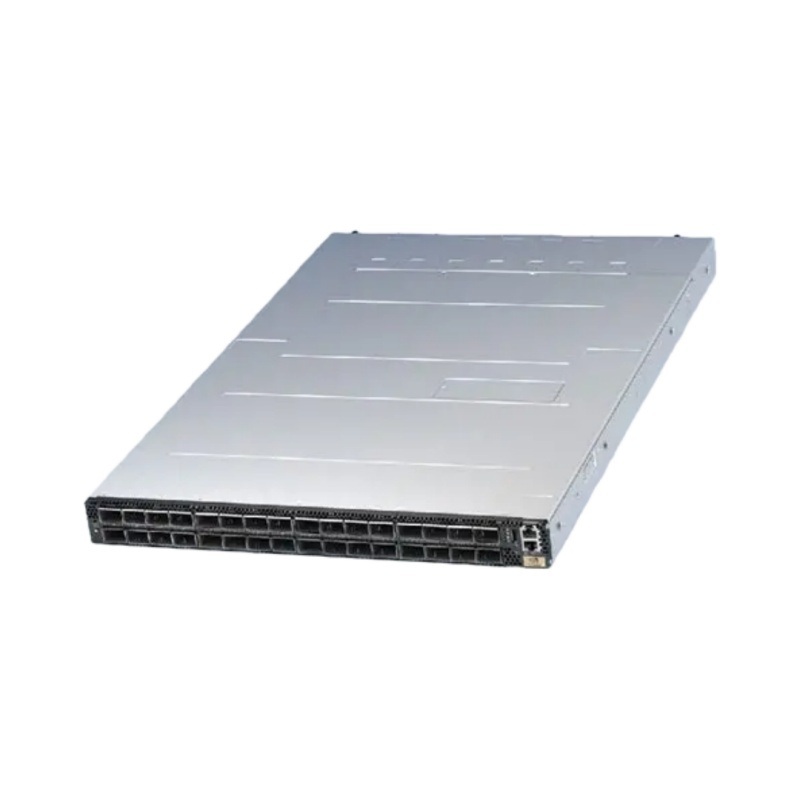
Both fabrics can carry AI traffic at high speed. They differ in how they get there. InfiniBand uses a dedicated, lossless fabric with in-network computing. Ethernet with RoCE brings RDMA to a familiar, open standards base. The table below shows how a representative InfiniBand platform compares on paper.
|
Specification |
NVIDIA MQM9790-NS2R Quantum-2 NDR InfiniBand Switch |
|---|---|
|
Generation |
NDR 400G |
|
Ports |
64 x 400G (32 OSFP connectors) |
|
Aggregate bandwidth |
51.2 Tbps, non-blocking |
|
Switching latency |
Sub-microsecond |
|
In-network computing |
SHARP v4 |
|
Cooling |
Liquid (QM9790); air on QM9700 |
|
Typical power |
~800–1,200 W |
|
Compliance |
IBTA Specification v1.5 |
|
Listed price |
$30,000.00 |
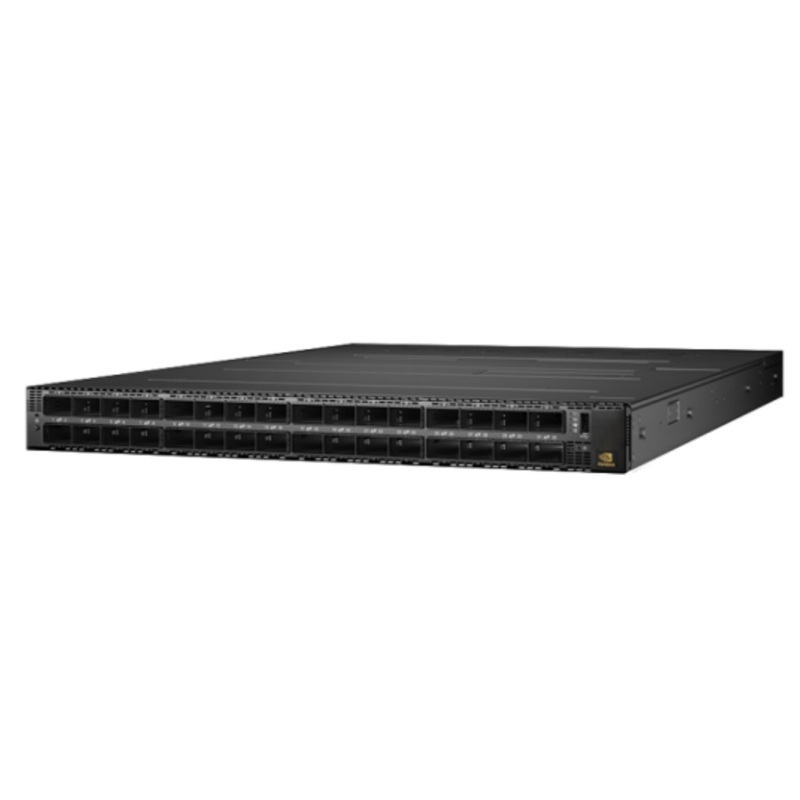
Ethernet options like the Dell Networking 9700 Series Center Switch and other RoCE-capable switches compete on openness and operational familiarity. They run standard Ethernet tooling and fit multi-vendor environments. Compliance paths differ too. InfiniBand follows IBTA v1.5, while Ethernet aligns with IEEE and RoCE standards your team likely already knows.
Cost is not just the list price. The NVIDIA switch carries a premium, and its subnet manager and UFM tooling add licensing and skills cost. Ethernet switches often cost less per port and reuse existing staff knowledge. Power matters as well. A fully loaded Quantum-2 air-cooled switch typically draws between 800 and 1,200 watts, depending on optics and traffic load. Compare that figure against your rack power budget before you commit.
Where Each Fits Best
Benchmarks tell a nuanced story. In MLPerf Training for BERT-Large, Ethernet finished in 10,886 seconds against 10,951 seconds for InfiniBand, a slight Ethernet margin. On MLPerf Inference for LLAMA2-70B-99.9, InfiniBand ran 1.66% faster. Across multiple generative AI tests, the two ran nearly equal, with a delta under 0.03%. Raw speed rarely decides the choice on its own.
Workload shape decides more. Large-scale synchronous data-parallel training with 8 or more GPUs and tens of billions of parameters rewards InfiniBand's low latency and high bandwidth. FSDP, ZeRO-3, and tensor parallelism also benefit, because frequent fine-grained collectives react sharply to delay. Models of 70B or more with large global batch sizes make interconnect bandwidth decisive.
Ethernet fits many other cases well. Pipeline parallelism moves smaller point-to-point activation traffic and tolerates latency. Asynchronous training has no sync barrier. Small setups of 2 to 4 GPUs lean on NVLink inside the node. Inference serving almost never needs InfiniBand, since NVLink handles intra-node traffic and high-speed Ethernet covers cross-node links.
InfiniBand is favored for tightly coupled HPC workloads requiring sub-5-microsecond latency and in-network computing, where the fabric is dedicated to a single tenant and workload type. Modern Ethernet with the right architecture is a credible alternative for multi-tenant environments, mixed workloads, or organizations seeking to avoid vendor dependency.
Neither option is wrong. Match the fabric to your workload, your team's skills, and your budget. Ailink helps you weigh both paths for your next-gen data center switches without pushing one vendor.
Features That Matter in Next-Gen Switches
Bandwidth, Latency, Congestion Control
Port speeds now hit 800 GbE, and dense 100G, 200G, and 400G ports keep up with today's GPU bandwidth needs. Raw speed alone is just the starting point. Four capabilities decide if your fabric can keep pace with the accelerators.
|
Capability |
What to Look For |
Why It Matters |
|---|---|---|
|
Bandwidth and port density |
100G, 200G, 400G, and new 800G ports |
Meets the bandwidth that distributed training collectives need |
|
Latency |
Steady low port-to-port latency, no jitter under load |
Prevents stragglers in synchronous collectives |
|
Buffering |
Deep, dynamically shared buffers |
Soaks up microbursts and incast without drops |
|
Congestion control |
RoCEv2 with DCQCN, ECN marking, PFC under 802.1Qbb |
Keeps RoCE transport lossless and throughput steady |
Congestion control deserves the closest look. DCQCN lets NICs react to ECN marks, and ECN marks packets before a switch drops them. PFC pauses specific CoS priorities to protect lossless RoCE traffic. OCI built a RoCE network scaled to thousands of nodes and defined at least three congestion-control profiles for latency-sensitive, throughput-sensitive, and mixed workloads. It applied PFC only one way at the edge between hosts and top-of-rack switches, never to leaf or spine, which prevents head-of-line blocking. ECN keeps PFC rarely needed as a last-resort safeguard. Smaller clusters can run Zero Touch RoCE with no PFC or ECN setup on switches.
Without mitigation, uneven traffic distribution and uplink congestion cut training performance by more than 30% in one deployment. Hashing on destination QP through switch UDF, combined with QP scaling, gave up to 40% improvement for AllReduce. Receiver-driven admission, where the collective library and transport exchange clear-to-send packets, limits in-flight traffic even more.
Scalability, Programmability, Telemetry
Treat scalability, programmability, and telemetry as selection criteria, not extras. Ask how the fabric grows past thousands of nodes, whether the switch exposes flow-level telemetry, and how much configuration your team must own. Operational continuity counts too. Dell OS10-based switches keep a familiar CLI for teams that value it, and the Dell Networking 9700 Series Center Switch fits environments standardized on that tooling.
Choose Next-Gen Data Center Switches with these criteria, then test them against your own traffic before you commit.
What Real-World Testing Reveals
Benchmark Data from AI Fabrics
Before you sign, ask for real numbers: throughput, tail latency, and job completion time from fabrics that run actual AI traffic. Sales sheets seldom include these figures. Ask your vendor and Ailink for them.
The published record looks good for both fabrics. Meta built twin AI clusters, one on InfiniBand and one on Arista Ethernet, for its Llama 3 deployment. Meta reported no network bottlenecks on either fabric. Meta also shared engineering details for a 24,000-GPU RoCE cluster. There, both RoCE and InfiniBand were tuned to give equal performance, and the largest models trained on the RoCE fabric. In NCCL tests, RoCE Ethernet matches InfiniBand for collective communication bandwidth. MLPerf-style lab tests now show job-time differences of only a fraction of a percent.
Tail latency still sets the two apart. InfiniBand's credit-based flow control removes drops and gives very steady worst-case behavior. Well-tuned AI Ethernet comes close, but PFC set up wrong can cause head-of-line blocking or deadlock. xAI's Colossus supercomputer linked 100,000 NVIDIA Hopper GPUs over Spectrum-X Ethernet. It reached 95% data throughput with congestion control tuned for bursty AI training. Traditional Ethernet at the same scale tops out at about 60% throughput because of thousands of flow collisions.
Lessons from Deployed Clusters
Clusters already in use teach lessons about picking the right tool for the job. A team running tightly coupled synchronous training on the NVIDIA MQM9790-NS2R Quantum-2 NDR InfiniBand switch gets steady tail latency and in-network computing. A team that standardizes on open Ethernet with the Dell Networking 9700 Series Center Switch gets familiar operations and flexibility across vendors.
Chip and load-balancing choices also change job completion time. Broadcom Jericho3-AI cut job completion time by more than 10% compared with competing chips. The Arista 7800R4 HyperPort, which bundles 4×800Gbps into 3.2Tbps, shortened job completion time by 44% compared with traditional load balancing across separate ports. Treat these results as a reason to test, not a final answer. When you choose next-gen data center switches, check them on your own fabric.
How to Choose Next-Gen Data Center Switches
Building the Evaluation Checklist
A good checklist turns a vague comparison into a decision you can defend. Score every candidate against six areas, and give each area a weight for your own setting. The table below shows why AI facilities need different answers than traditional halls.
|
Criterion Area |
Traditional Data Center |
AI Data Center |
|---|---|---|
|
Workload fit |
Stable, predictable workloads |
Dynamic, bursty, data-intensive workloads |
|
Rack power density |
7–10 kW/rack |
30 kW to over 100 kW/rack |
|
Cooling |
Primarily air cooling |
Liquid or hybrid cooling |
|
Networking |
Standard Ethernet |
Ultra-high-bandwidth, low-latency interconnects |
Start with workload fit. Ask whether the switch keeps up massive throughput and low latency across many GPU nodes, and whether it handles east-west traffic well. Next, test performance under real AI traffic, not lab bursts. Then confirm compliance for every region you deploy in, since a global footprint keeps product designs consistent and speeds deployment.
Power efficiency deserves its own line. Dense AI racks now reach 30 kW to over 100 kW, and NVIDIA GB200 NVL36 draws roughly 66 kW while NVL72 reaches about 120 kW. Modern 800G OSFP pluggable modules deliver about 40% lower cost per gigabit than prior generations and about 50% power savings through advanced DSP and modulation. Add telemetry as a scored item. Real-time insight into energy consumption and infrastructure loads prevents downtime, and machine learning models can flag cooling decline or fiber signal degradation before failure. Finally, weigh total cost, including optics, licensing, power, and staff skills.
Validating with Ailink
A checklist narrows the field. Testing settles it. Ailink helps your team validate next-gen data center switches against your own AI workloads before you commit. You bring your traffic profiles, collective patterns, and power budget. Ailink builds the test plan around them.
The process follows a clear path. First, you define the workloads that matter, from synchronous training to inference serving. Second, Ailink runs throughput, tail latency, and job completion time tests on candidate fabrics. Third, you review telemetry output and power draw under sustained load. Fourth, you compare total cost across the full deployment.
This approach lets you choose next-gen data center switches with evidence rather than marketing claims. When you choose next-gen data center switches this way, your team sees the numbers before the purchase order. Ailink sells every option compared here, so the guidance stays neutral and the test results speak for themselves.
Five things should guide every choice: how well it fits your workload, real-world speed under AI traffic, compliance, power efficiency, and total cost. Use them all together, and no single spec sheet can sway you.
Run the checklist on every candidate. Ask for benchmark data from fabrics that run real AI traffic. Then work with Ailink to test your options against your own workloads before you commit. That evidence lets you choose next-gen data center switches with confidence, and your team will see the numbers behind the decision.
FAQ
Which fabric should you pick for large synchronous training?
InfiniBand fits tightly coupled training best. Its credit-based flow control keeps tail latency steady, and in-network computing speeds up collectives. Ethernet with RoCE works well too, once you tune congestion control. Match the fabric to your workload shape, team skills, and budget before you decide.
How much does congestion control really change results?
It changes them a lot. One deployment lost more than 30% of training performance to uneven traffic and uplink congestion. Hashing on destination QP with QP scaling recovered up to 40% for AllReduce. Tune ECN and PFC carefully, and test under your own bursty traffic.
Do you need 800 GbE ports today?
Not always. Dense 100G, 200G, and 400G ports meet most current GPU needs. Choose 800 GbE when your roadmap calls for it. Modern 800G OSFP modules cut cost per gigabit by about 40% and save roughly 50% power, so the upgrade path pays off over time.
How do you compare vendors fairly?
Score every candidate on workload fit, real-world performance, compliance, power efficiency, telemetry, and total cost. Ask for throughput, tail latency, and job completion time from live AI fabrics. Then let Ailink test the shortlist against your own traffic profiles before you commit.
What role does power play in the decision?
A big one. AI racks now reach 30 kW to over 100 kW, and NVIDIA GB200 NVL72 draws about 120 kW. A fully loaded air-cooled Quantum-2 switch draws roughly 800 to 1,200 watts. Check every figure against your rack power and cooling budget early.
- How to Choose Next-Gen Data Center Switches for AI Workloads and High-Performance Networking
- AI Server Hardware Requirements: A Practical Checklist for GPU, Memory, Storage, and Networking
- What Makes DDR5-5600 ECC RDIMM Ideal for Enterprise Servers
- How to Choose High Speed Optical Transceivers for AI Data Center Networks
- Why RTX 5090 is the Best GPU for Gaming and AI
- What Is an SSD and How Does It Work in 2026
- NVIDIA SN5600 or Cisco 800GbE: A Comprehensive Comparison for Modern Data Centers
- Seagate Exos X18 12TB Review: Specs, Performance and Enterprise Use Cases